
Overview
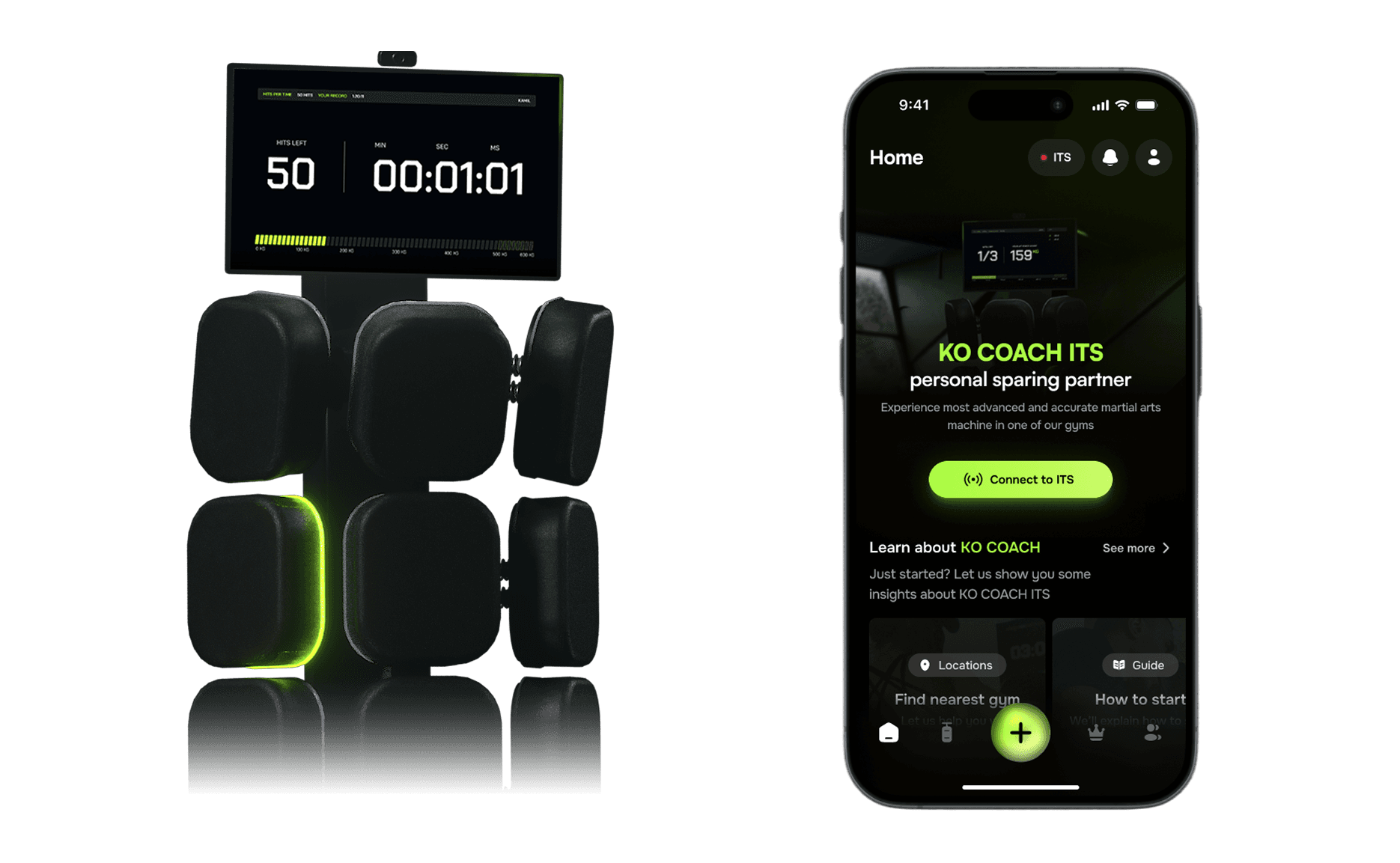
KO COACH is an interactive training station for martial arts. An idea came from people who were engaged in this sports for a long time as trainers and competitors. There were few crucial problems that KO COACH was made to solve.
A lot of trainers are struggling with health problems due to pads training. The force of punches affects their bodies to such an extent that they have to choose between practicing martial arts on they own or training other fighters. This solution aims to provide the same or higher quality of training without negative side effects for the trainer.
Goal
The goal was to create an advanced training station supported with its’ own software, mobile app and desktop app. KO COACH ITS had to become a new sparing partner for beginners and professionals.
My role
I was leading the design process from research and ideation to execution. I conducted user tests, identified areas for improvement, and continuously refined the experience to enhance both functionality and usability.
Overview
When I joined KO COACH it was a garage-based project, supported by a software house but most of us knew that it was going to be one of the biggest succeses in this industry. The KO COACH came up from a professional enviroment and was inspired by everyday struggles noticed by martial arts trainers and competitors. It was meant to solve many issues like body overwhelming, sparing partner requirements, and efficiency.
To make it happen and be able to earn money, KO COACH had to be accesible to both, amateurs and professionals. We had to try to fulfill needs of users on different advance levels.
June 2022
Joined KO COACH
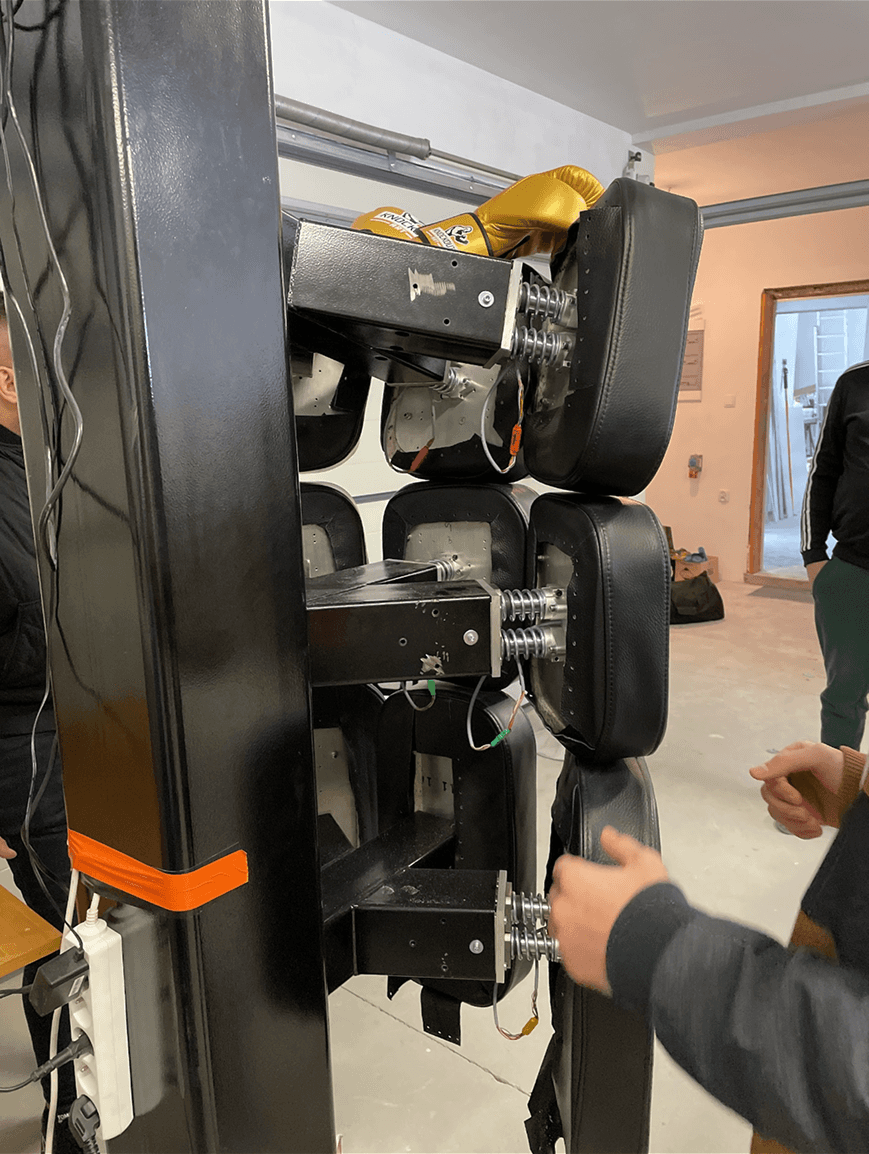
A station prototype had already been built for testing - crafted in a garage by an incredibly talented team of engineers and programmers. CEO Kamil Sylwestrzak had a clear vision, shaped by his own and others’ experience in martial arts.
July 2022
First ITS interface
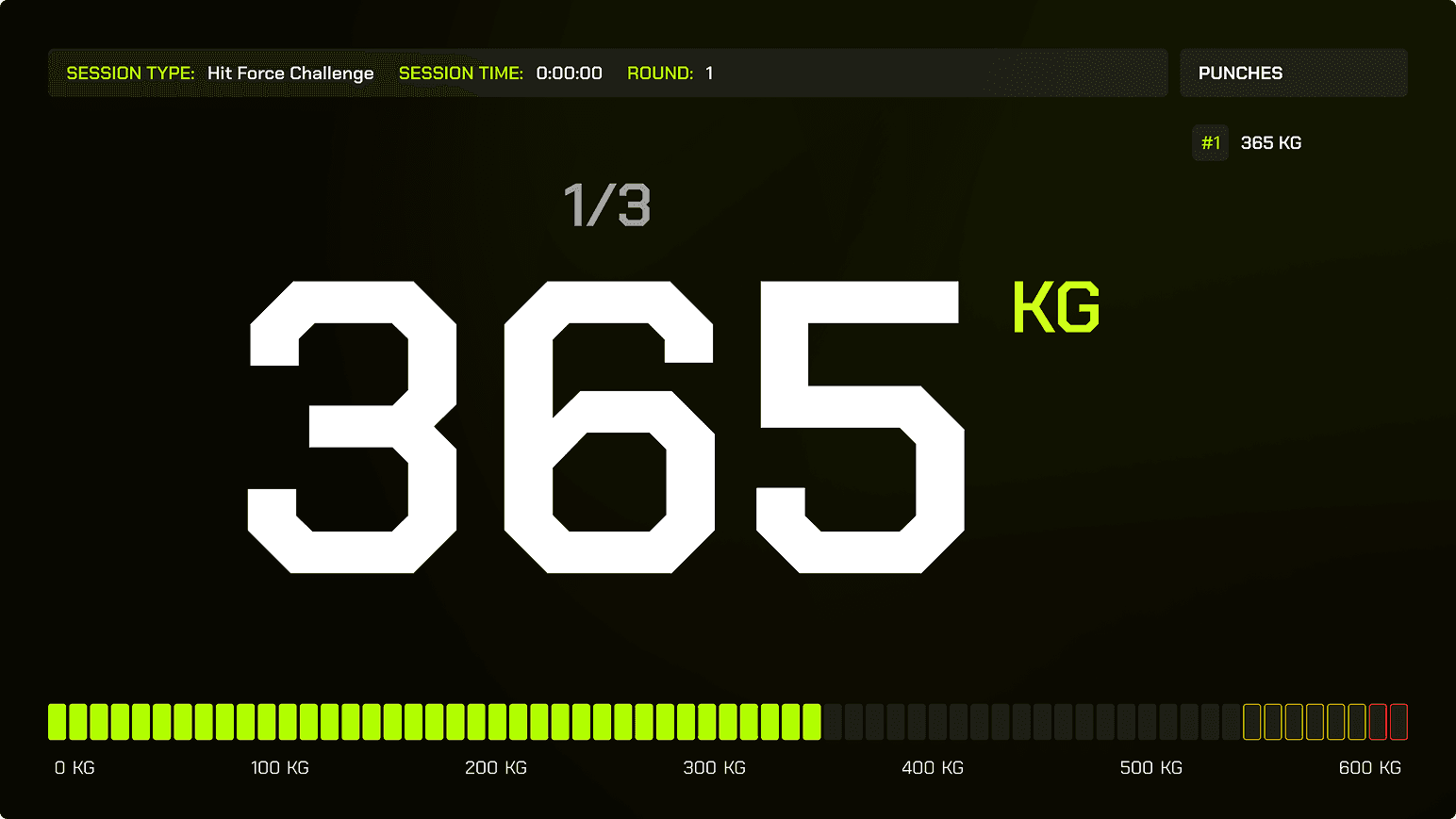
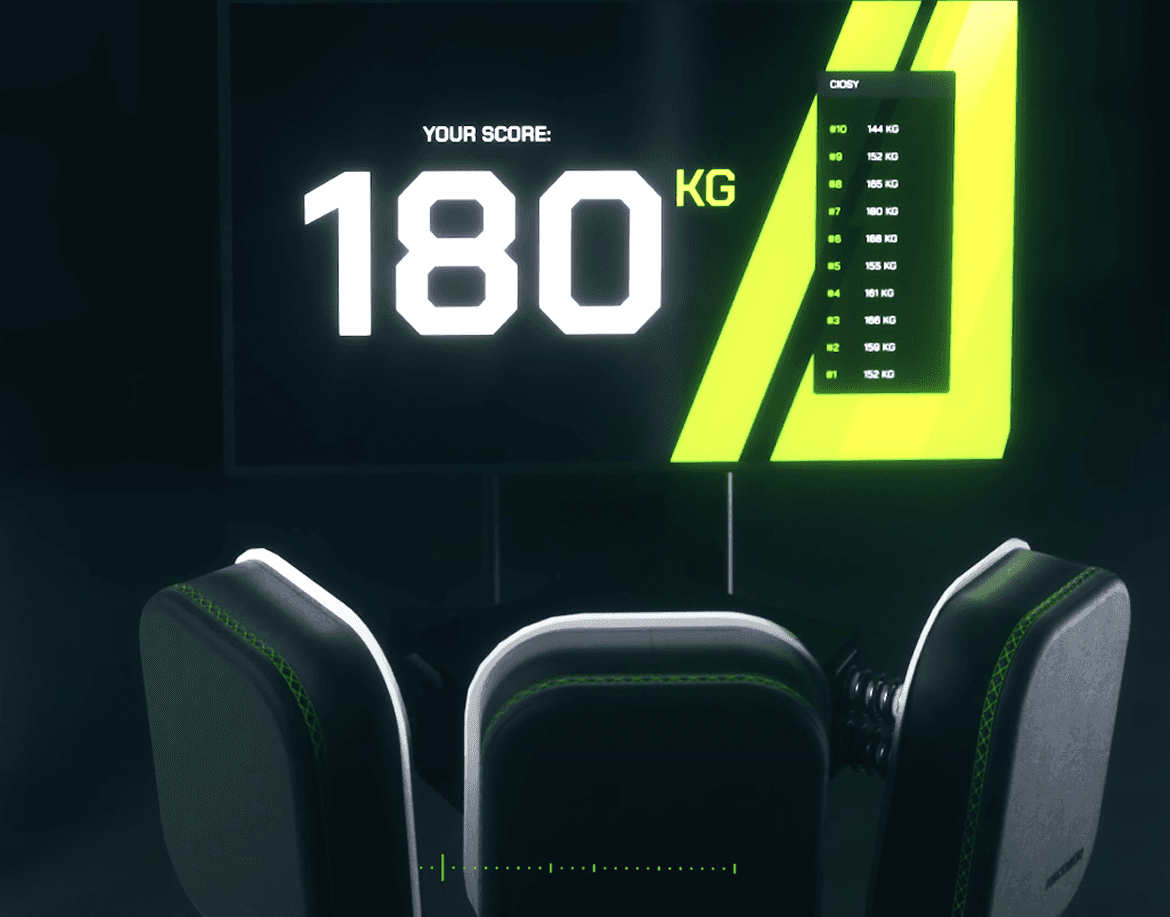
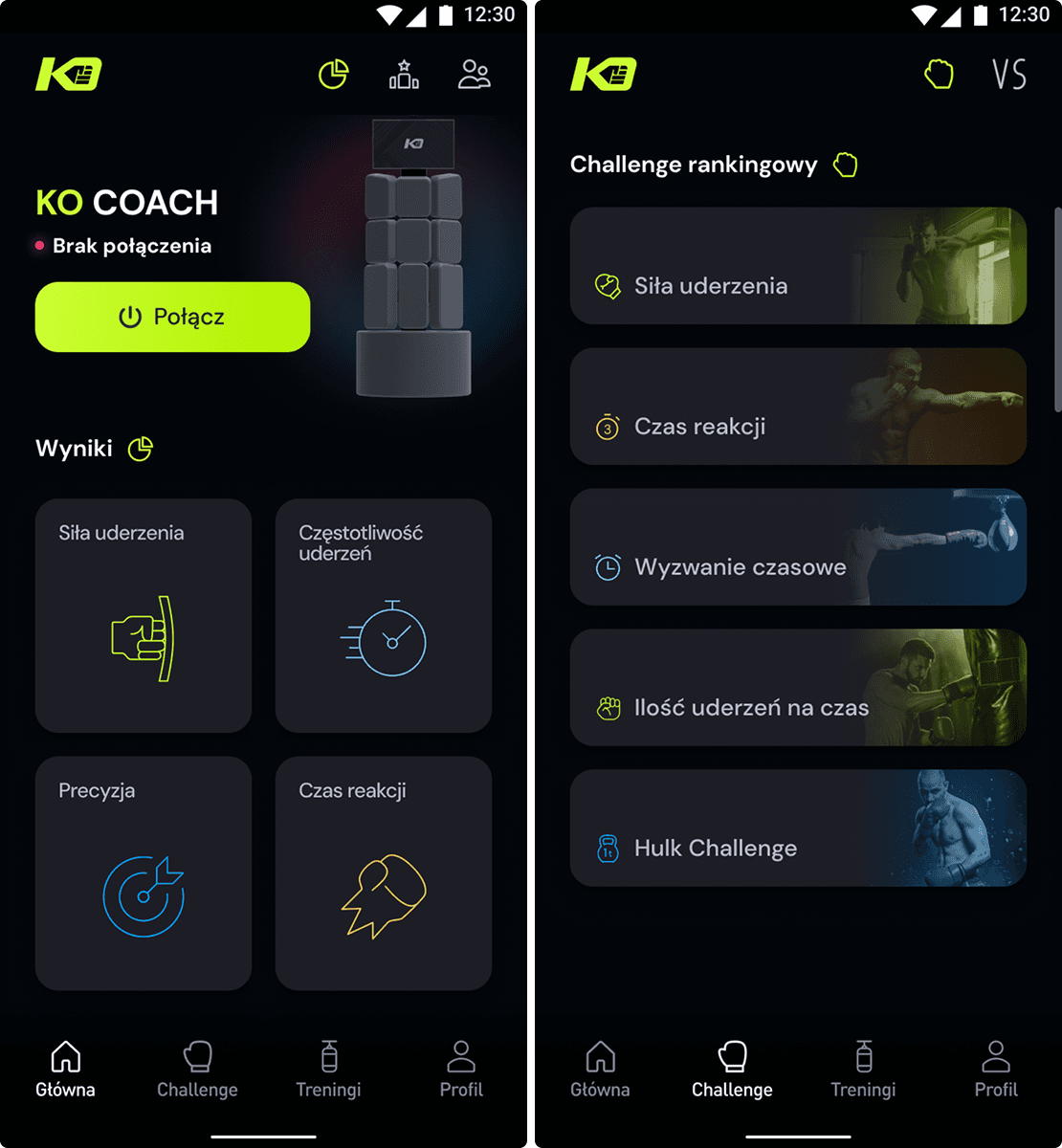
Right after joining KO COACH, we had to develop station software to display basic statistics during use. We knew it wouldn’t be an easy task to present information that users could read between punches.
December 2022
First Mobile App version
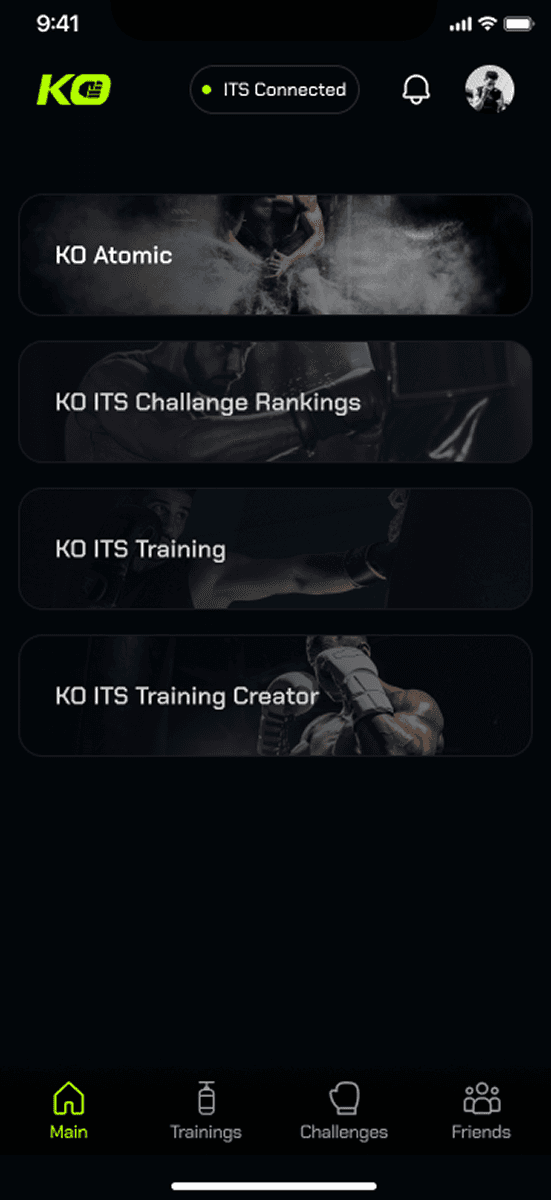
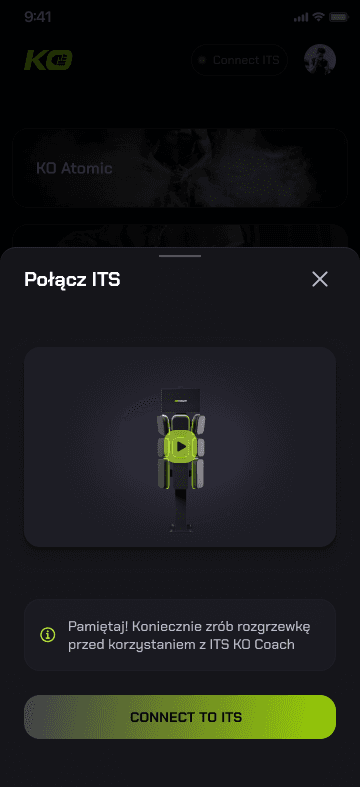
The previous designer who worked on KO COACH had created a mobile app concept based on the needs defined by the founders. We knew we had to simplify the app slightly, turning it into a remote controller for ITS to test Challenges and Trainings.
March 2023
Mobile App refinement
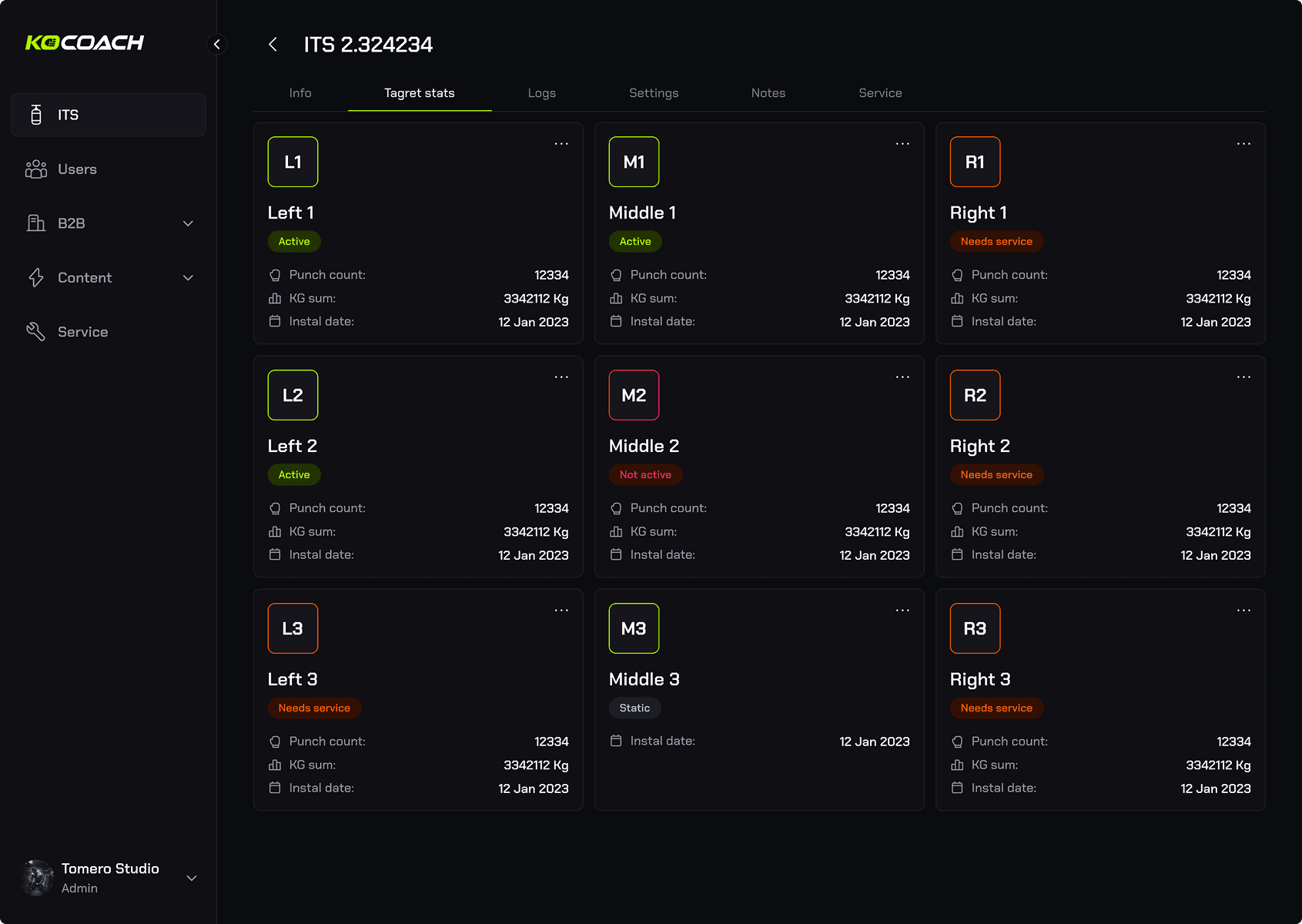
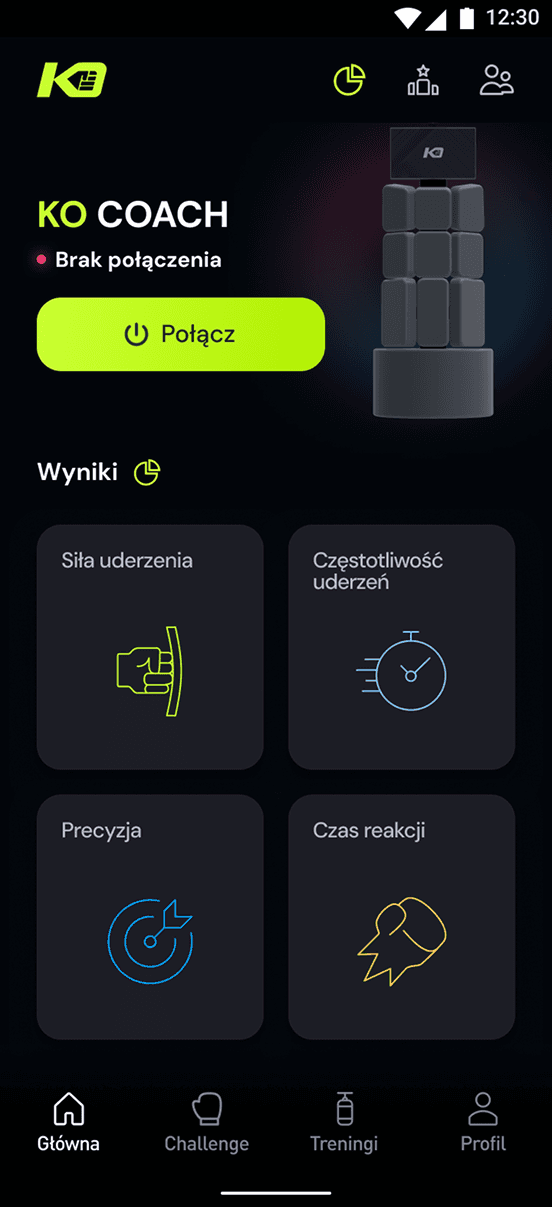
We designed a mobile app with a few simple functionalities to enable quick testing. The first version included a Training Creator, a Predefined Training List, a list of Challenges, a basic friends list, and a Profile screen.
April 2023
Admin Web App
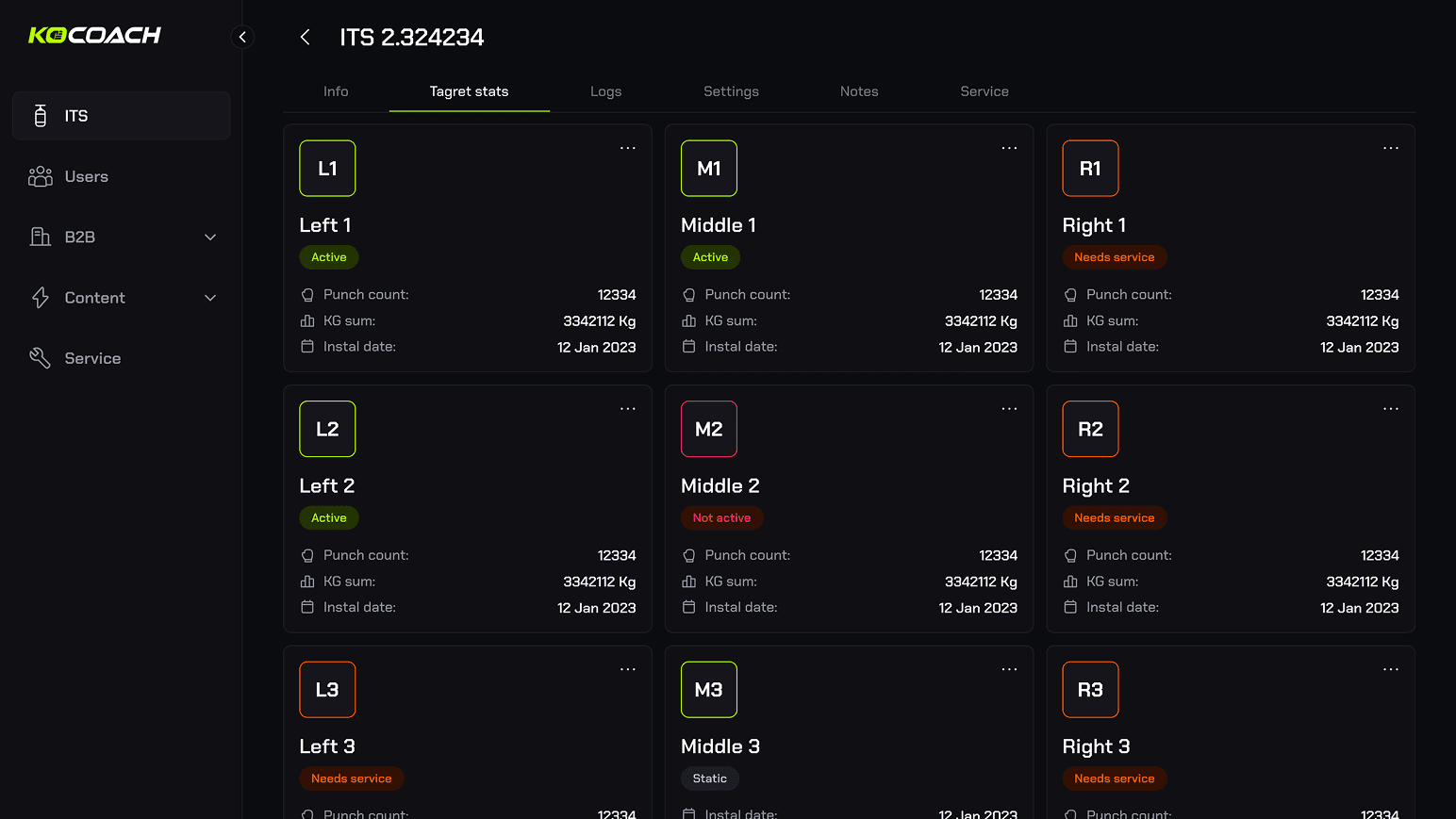
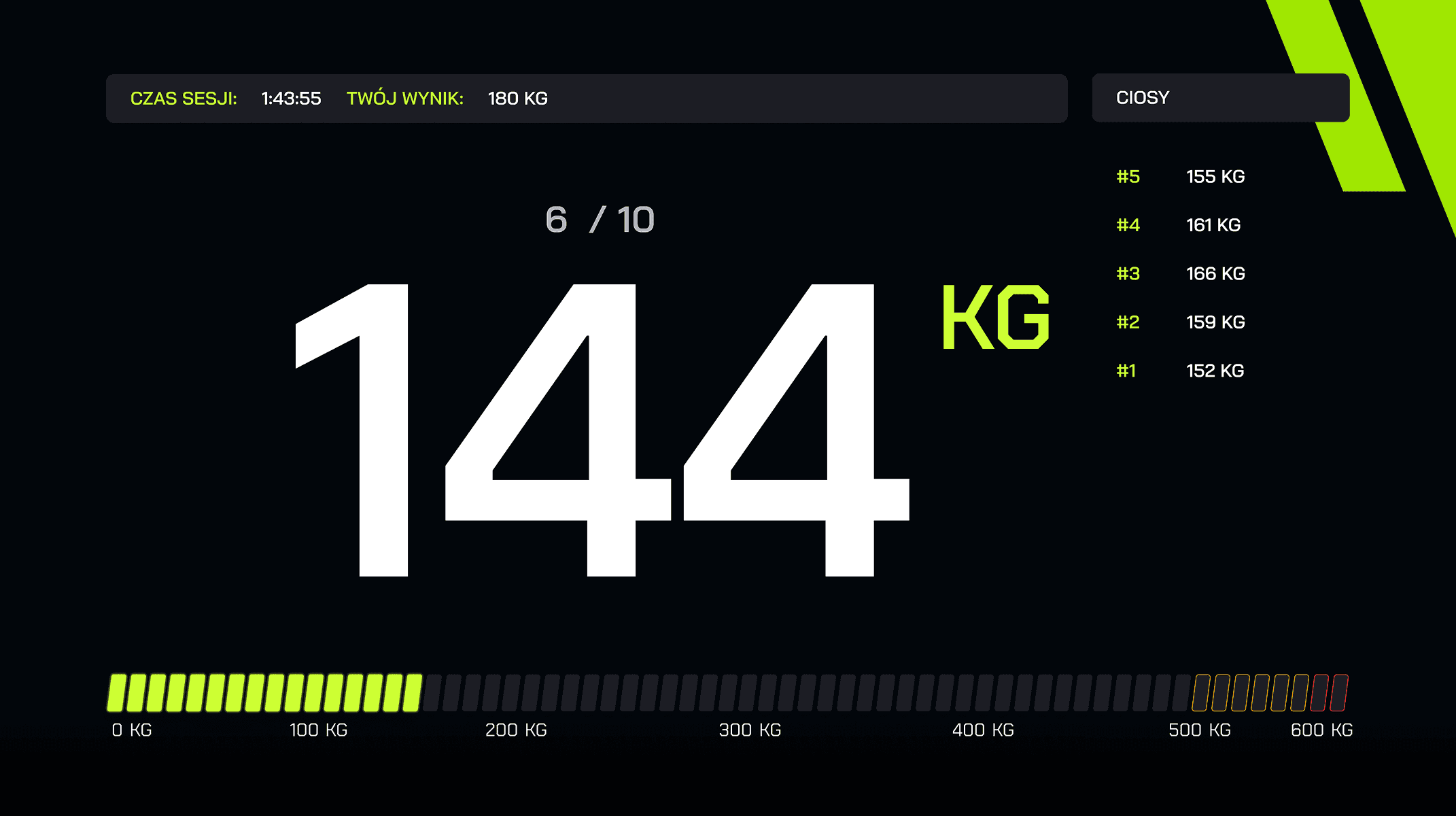
There was also an Admin Web App, primarily developed by @Tomasz Szczepuchowski, which facilitated adding content to the mobile app, managing stations, and overseeing users.
May 2023
ITS tests & refinement
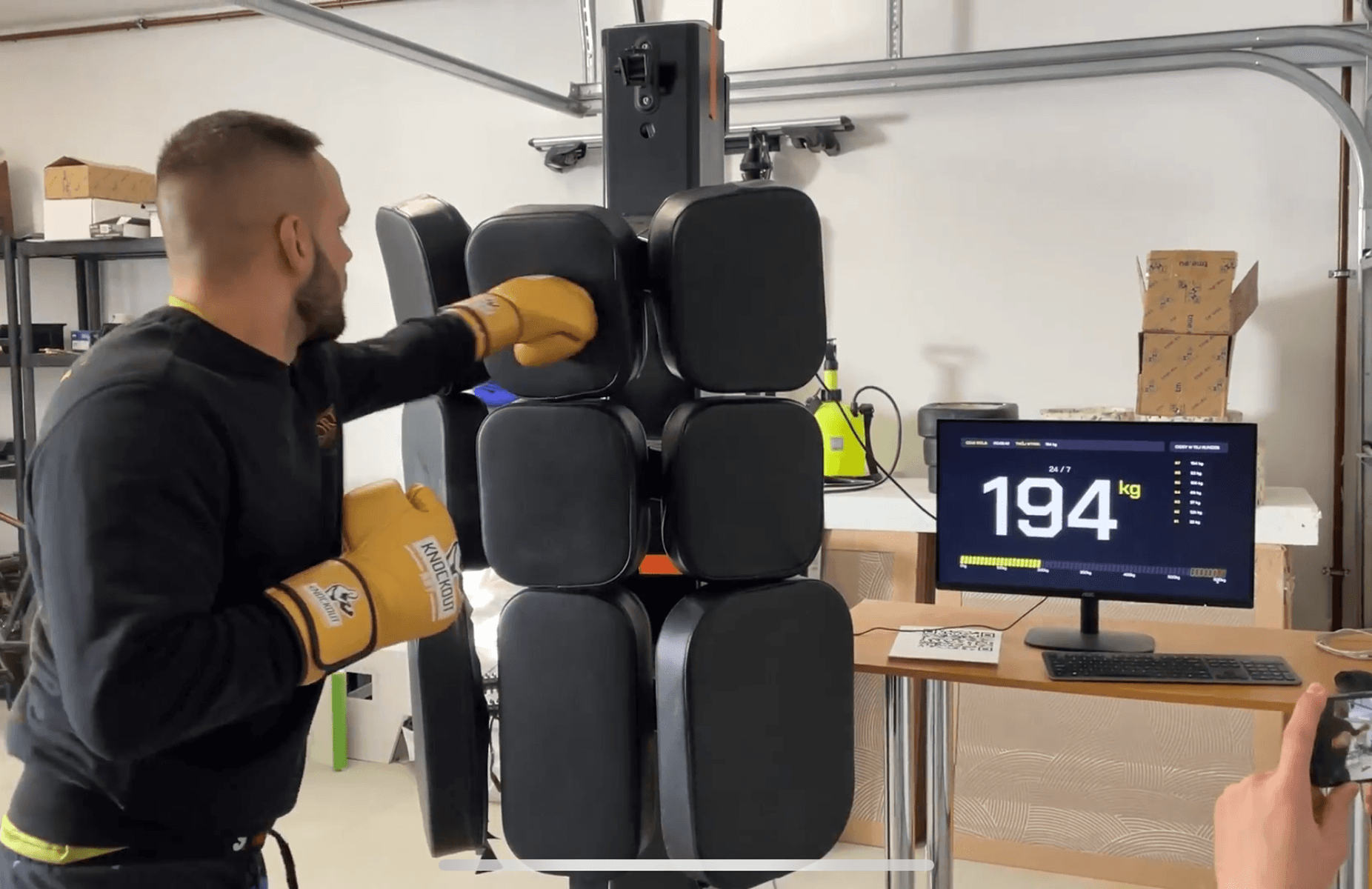
Then came the testing phase, where hundreds of people with varying levels of martial arts experience tried out the ITS. While the engineering team tackled hardware issues, we focused on improving screen accessibility.
April 2023
ITS + App tests
The time came to test the full experience of using the ITS and Mobile App. Participants were asked to complete different scenarios, allowing us to identify challenges in setting up training, during the sessions, and afterward.
September 2023
Mobile App Redesign
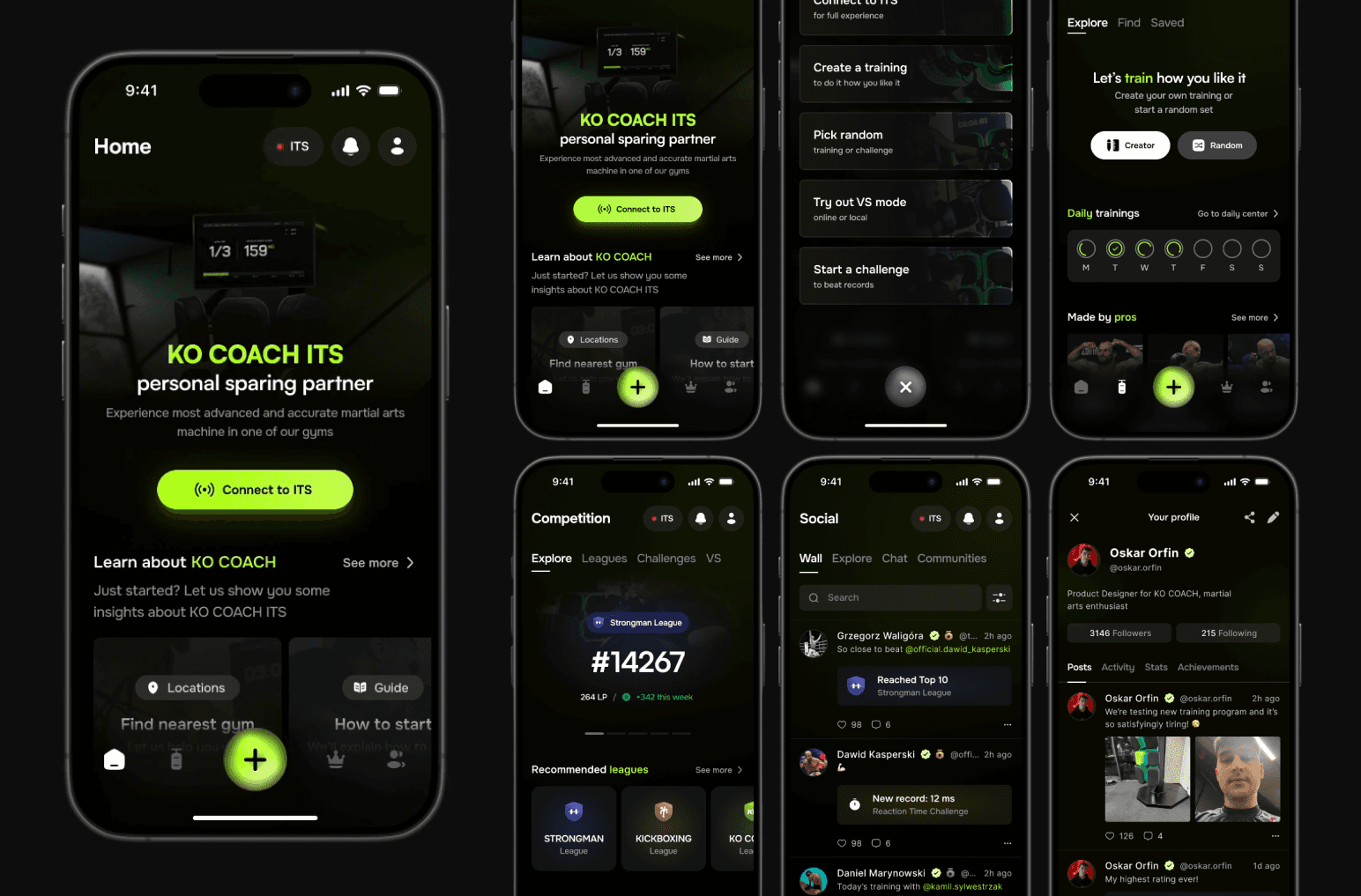
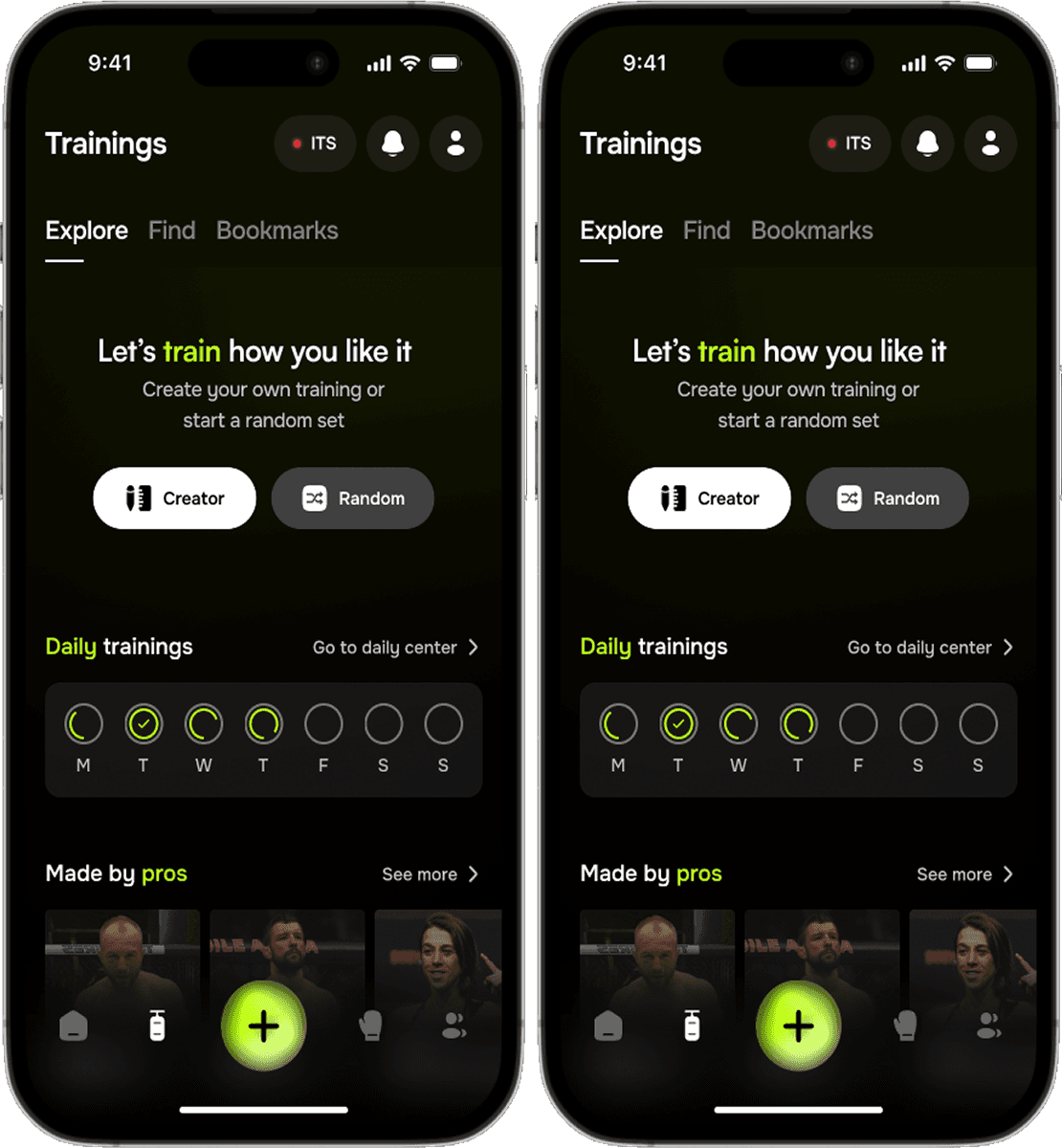
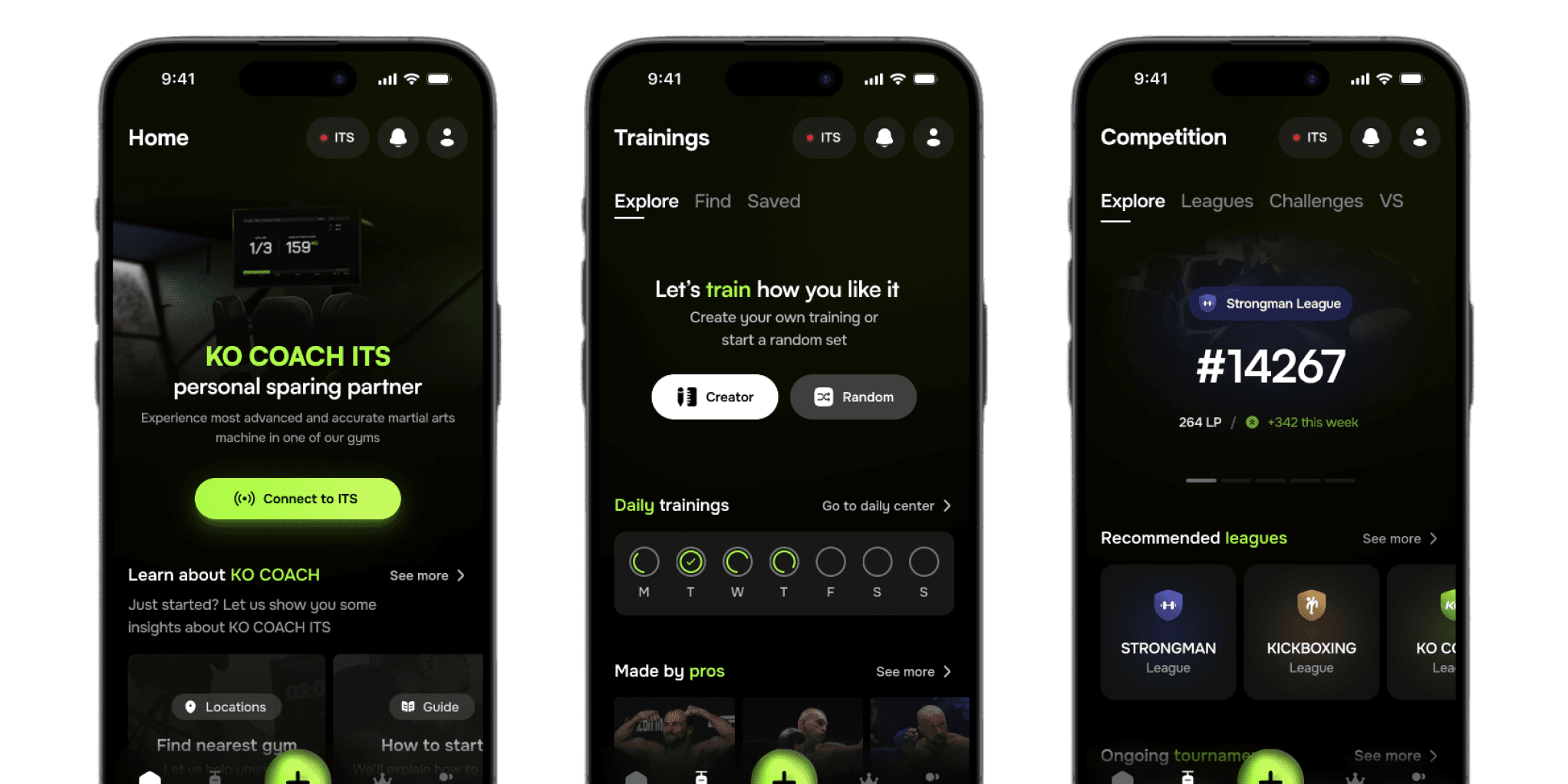
From the very beginning, we understood that the app as a simple remote controller wouldn’t be enough. As the sales model started to take shape, we aimed to enhance the training and challenge experience, foster communities, and introduce competitive aspects.
What's the app for?
" transform="translate(6.667 2.666)" width="18.666710000000002px"/><path d="M 8 4 C 8 6.209 6.209 8 4 8 C 1.791 8 0 6.209 0 4 C 0 1.791 1.791 0 4 0 C 6.209 0 8 1.791 8 4 Z" fill="transparent" height="8px" id="F8cRtp3T9" stroke-dasharray="" stroke-linecap="butt" stroke-linejoin="miter" stroke-miterlimit="10" stroke-width="2" stroke="rgb(255, 255, 255)" transform="translate(12 16.666)" width="8px"/><path d="M 2.667 1.333 C 2.667 2.07 2.07 2.667 1.333 2.667 C 0.597 2.667 0 2.07 0 1.333 C 0 0.597 0.597 0 1.333 0 C 2.07 0 2.667 0.597 2.667 1.333 Z" fill="rgb(255, 255, 255)" height="2.6667000000000005px" id="w1zJT3ChU" transform="translate(12 11.334)" width="2.6667000000000005px"/><path d="M 0 1.333 C 0 0.597 0.597 0 1.333 0 C 2.07 0 2.667 0.597 2.667 1.333 C 2.667 2.07 2.07 2.667 1.333 2.667 C 0.597 2.667 0 2.07 0 1.333 Z" fill="rgb(255, 255, 255)" height="2.6666600000000003px" id="n5eCkOFOX" transform="translate(12 6.666)" width="2.6666600000000003px"/><path d="M 2.667 1.333 C 2.667 2.07 2.07 2.667 1.333 2.667 C 0.597 2.667 0 2.07 0 1.333 C 0 0.597 0.597 0 1.333 0 C 2.07 0 2.667 0.597 2.667 1.333 Z" fill="rgb(255, 255, 255)" height="2.6667000000000005px" id="OqttiE2Yg" transform="translate(17.333 11.334)" width="2.6667000000000023px"/><path d="M 0 1.333 C 0 0.597 0.597 0 1.333 0 C 2.07 0 2.667 0.597 2.667 1.333 C 2.667 2.07 2.07 2.667 1.333 2.667 C 0.597 2.667 0 2.07 0 1.333 Z" fill="rgb(255, 255, 255)" height="2.6666600000000003px" id="HESAPv_wm" transform="translate(17.333 6.666)" width="2.6666600000000003px"/></svg>)
" transform="translate(2.667 9.334)" width="26.666710195922853px"/></svg>)
" transform="translate(11.092 11.09)" width="9.312000008392335px"/><path d="M 1.909 7.492 C 0.703 6.287 0.1 5.684 0.014 4.948 C -0.005 4.784 -0.005 4.618 0.014 4.453 C 0.1 3.717 0.703 3.114 1.909 1.909 C 3.114 0.703 3.717 0.1 4.453 0.014 C 4.618 -0.005 4.784 -0.005 4.948 0.014 C 5.684 0.1 6.287 0.703 7.492 1.909 L 14.091 8.508 C 15.297 9.713 15.9 10.316 15.986 11.052 C 16.005 11.216 16.005 11.382 15.986 11.547 C 15.9 12.283 15.297 12.886 14.091 14.091 C 12.886 15.297 12.283 15.9 11.547 15.986 C 11.382 16.005 11.216 16.005 11.052 15.986 C 10.316 15.9 9.713 15.297 8.508 14.091 Z" fill="transparent" height="16.000000000000004px" id="V65ptz8LO" stroke-dasharray="" stroke-linecap="butt" stroke-linejoin="miter" stroke-miterlimit="10" stroke-width="2" stroke="rgb(255, 255, 255)" transform="translate(2.667 13.334)" width="16.000010000000003px"/><path d="M 1.909 7.492 C 0.703 6.287 0.1 5.684 0.014 4.948 C -0.005 4.784 -0.005 4.618 0.014 4.453 C 0.1 3.717 0.703 3.114 1.909 1.909 C 3.114 0.703 3.717 0.1 4.453 0.014 C 4.618 -0.005 4.784 -0.005 4.948 0.014 C 5.684 0.1 6.287 0.703 7.492 1.909 L 14.091 8.508 C 15.297 9.713 15.9 10.316 15.986 11.052 C 16.005 11.216 16.005 11.382 15.986 11.547 C 15.9 12.283 15.297 12.886 14.091 14.091 C 12.886 15.297 12.283 15.9 11.547 15.986 C 11.382 16.005 11.216 16.005 11.052 15.986 C 10.316 15.9 9.713 15.297 8.508 14.091 Z" fill="transparent" height="15.9999825px" id="edNwmJxae" stroke-dasharray="" stroke-linecap="butt" stroke-linejoin="miter" stroke-miterlimit="10" stroke-width="2" stroke="rgb(255, 255, 255)" transform="translate(13.333 2.666)" width="16.000000000000004px"/><path d="M 0 0 L 4.139 4.139" fill="transparent" height="4.138679999999999px" id="je7JiAHei" stroke-dasharray="" stroke-linecap="round" stroke-linejoin="round" stroke-width="2" stroke="rgb(255, 255, 255)" transform="translate(24.025 3.33)" width="4.1387px"/><path d="M 0 0 L 4.139 4.139" fill="transparent" height="4.1387px" id="mPnSePWSc" stroke-dasharray="" stroke-linecap="round" stroke-linejoin="round" stroke-width="2" stroke="rgb(255, 255, 255)" transform="translate(3.33 24.023)" width="4.138679999999999px"/></svg>)
" transform="translate(6.685 2.666)" width="18.631917908540164px"/><path d="M 2 0 L 3.265 0.422 C 4.585 0.862 5.245 1.082 5.623 1.605 C 6 2.129 6 2.825 6 4.216 L 6 4.313 C 6 5.461 6 6.035 5.724 6.504 C 5.447 6.974 4.946 7.252 3.943 7.81 L 0 10" fill="transparent" height="9.99998px" id="MnLBZG8Vd" stroke-dasharray="" stroke-linecap="butt" stroke-linejoin="miter" stroke-miterlimit="10" stroke-width="2" stroke="rgb(255, 255, 255)" transform="translate(23.333 6.666)" width="5.99990317737381px"/><path d="M 4 0 L 2.735 0.422 C 1.415 0.862 0.755 1.082 0.377 1.605 C 0 2.129 0 2.825 0 4.216 L 0 4.313 C 0 5.461 0 6.035 0.276 6.504 C 0.553 6.974 1.054 7.252 2.057 7.81 L 6 10" fill="transparent" height="9.99998px" id="SkRvwdKJ0" stroke-dasharray="" stroke-linecap="butt" stroke-linejoin="miter" stroke-miterlimit="10" stroke-width="2" stroke="rgb(255, 255, 255)" transform="translate(2.667 6.666)" width="5.999920532485277px"/><path d="M 0 0 L 0 2.667" fill="transparent" height="2.6666999999999987px" id="wYz_kYbX0" stroke-dasharray="" stroke-linecap="round" stroke-linejoin="miter" stroke-miterlimit="10" stroke-width="2" stroke="rgb(255, 255, 255)" transform="translate(16 22.666)" width="1px"/><path d="M 9.333 3.333 L 0 3.333 L 0.452 1.072 C 0.577 0.449 1.124 0 1.76 0 L 7.574 0 C 8.209 0 8.756 0.449 8.881 1.072 Z" fill="transparent" height="3.3333000000000013px" id="oS2TaF3z9" stroke-dasharray="" stroke-linecap="round" stroke-linejoin="round" stroke-width="2" stroke="rgb(255, 255, 255)" transform="translate(11.333 26)" width="9.3333px"/><path d="M 16 0 L 0 0" fill="transparent" height="1px" id="e622a1SCj" stroke-dasharray="" stroke-linecap="round" stroke-linejoin="miter" stroke-miterlimit="10" stroke-width="2" stroke="rgb(255, 255, 255)" transform="translate(8 29.334)" width="16px"/></svg>)
Evolution
First app version
Goal
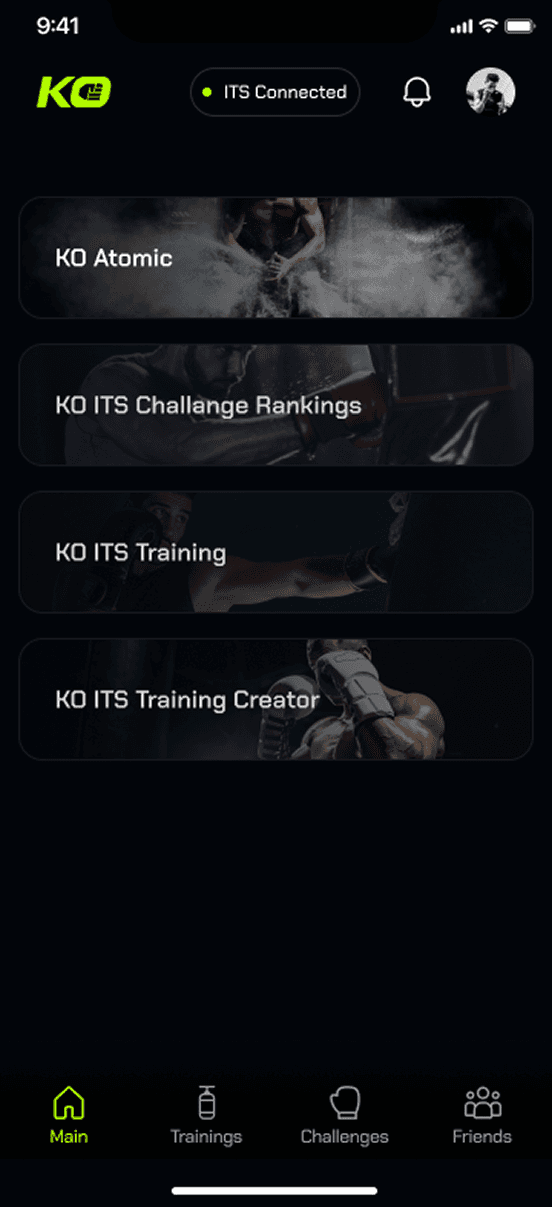
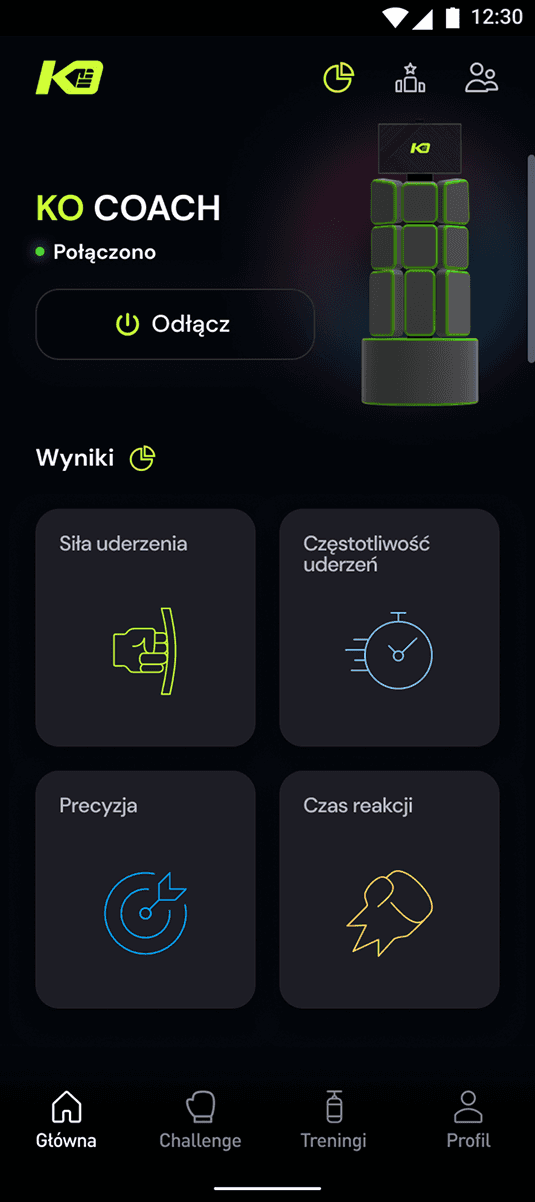
The main purpose of the app was clear: it needed to connect to the ITS, build and start a training session or challenge. We also wanted to add a few features to make it more engaging. Initially, we considered many more functionalities, but we quickly realized that the priority was to conduct a testing phase with the ITS
Results
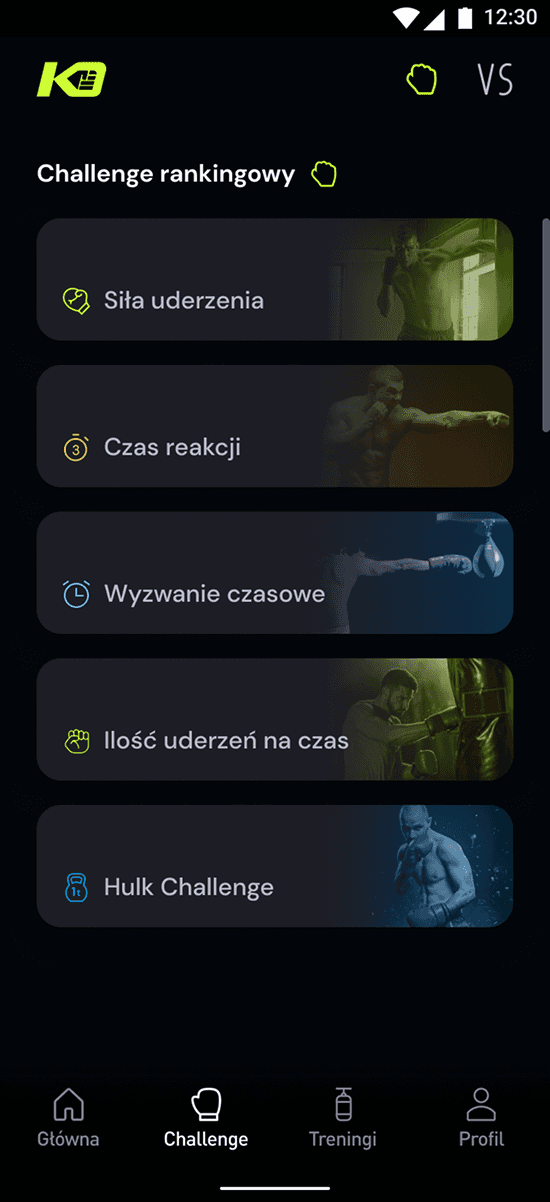
When I joined, a visual concept had already been created, so we built upon it and developed a simple app with Challenges and Trainings. We also added a few features, such as rankings, a friends list, and a profile page
Conclusions
Some of the features were confusing
We had to acknowledge that most users likely had never used an app like this before and might not fully understand what KO COACH is
We needed a simple testing tool for ITS
Initially, we aimed to improve the ITS usage process, which is why we needed our remote controller to run tests as quickly as possible
Staying focused on improving crucial funcionalities
Since our main product is the ITS, some crucial functionalities, such as the training and challenge creator, needed to be as close to ideal as possible
Refinement
Simplyfied look
We almost got rid of home page to finish development phase as soon as possible. Also we have predefined few training sets and placed it on the first page to fasten testing phase
Testing strategy
During this phase, we defined the outcomes we expected to learn from the testing process. We aimed to understand which features users felt were missing and how we could enhance both the ITS and app experience.
Redesign
" height="1.28633px" id="E9jnCANjY" transform="translate(7.414 2)" width="9.18724px"/><path d="M 1.286 2.064 L 1.286 0 L 0 0 L 0 2.064 Z" fill="rgb(255, 255, 255)" height="2.0638400000000003px" id="yWPrfbP_R" transform="translate(11.358 3.285)" width="1.2863000000000007px"/><path d="M 0.64 1.281 C 0.994 1.281 1.281 0.994 1.281 0.64 C 1.281 0.287 0.994 0 0.64 0 C 0.287 0 0 0.287 0 0.64 C 0 0.994 0.287 1.281 0.64 1.281 Z" fill="rgb(255, 255, 255)" height="1.2806099999999998px" id="Q6bTrJLNA" transform="translate(6.773 2)" width="1.2806100000000002px"/><path d="M 0 1.332 C 0 0.595 0.595 0 1.332 0 C 2.07 0 2.664 0.595 2.664 1.332" fill="rgb(255, 255, 255)" height="1.3320699999999999px" id="PLyLMcJ48" transform="translate(10.668 5)" width="2.6641000000000012px"/><path d="M 0.64 1.281 C 0.994 1.281 1.281 0.994 1.281 0.64 C 1.281 0.287 0.994 0 0.64 0 C 0.287 0 0 0.287 0 0.64 C 0 0.994 0.287 1.281 0.64 1.281 Z" fill="rgb(255, 255, 255)" height="1.2806099999999998px" id="DF0G4N_Vm" transform="translate(15.961 2)" width="1.2806999999999977px"/><path d="M 7.134 16 L 2.866 16 C 1.283 16 0 14.807 0 13.336 L 0 2.664 C 0 1.193 1.283 0 2.866 0 L 7.134 0 C 8.716 0 10 1.193 10 2.664 L 10 13.336 C 10 14.807 8.716 16 7.134 16 Z M 7.5 3.5 L 2.5 3.5 C 2.224 3.5 2 3.724 2 4 C 2 4.276 2.224 4.5 2.5 4.5 L 7.5 4.5 C 7.776 4.5 8 4.276 8 4 C 8 3.724 7.776 3.5 7.5 3.5 Z M 2 12.78 C 2 13.056 2.224 13.28 2.5 13.28 L 7.5 13.28 C 7.776 13.28 8 13.056 8 12.78 C 8 12.504 7.776 12.28 7.5 12.28 L 2.5 12.28 C 2.224 12.28 2 12.504 2 12.78 Z" fill="rgb(255, 255, 255)" height="16px" id="moXca2YvM" transform="translate(7 6)" width="10px"/></svg>)
Trainings
Training creator
Daily training
Training sessions
Single moves
Complete programs
" height="20px" id="c9UGJIh81" transform="translate(4 2)" width="15.999844162552971px"/></svg>)
Competition
Leagues
Tournaments
Beat records
Challenges
VS Mode
" height="9px" id="UAsVlX0Yi" transform="translate(5 2)" width="9px"/><path d="M 0 4 C 0 1.791 3.358 0 7.5 0 C 11.642 0 15 1.791 15 4 C 15 6.209 11.642 8 7.5 8 C 3.358 8 0 6.209 0 4 Z" fill="rgb(255, 255, 255)" height="8px" id="SipFwM71d" transform="translate(2 14)" width="15px"/><path d="M 4.505 3.176 C 4.505 4.931 2.478 6.353 0.003 6.353 C 0.732 5.506 1.233 4.442 1.233 3.178 C 1.233 1.913 0.731 0.848 0 0 C 2.475 0 4.505 1.422 4.505 3.176 Z" fill="rgb(255, 255, 255)" height="6.353px" id="qfy7qWLta" transform="translate(17.495 14.647)" width="4.505099999999999px"/><path d="M 4.012 3.177 C 4.012 4.931 2.674 6.353 1.024 6.353 C 0.665 6.353 0.319 6.285 0 6.161 C 0.471 5.28 0.74 4.261 0.74 3.175 C 0.74 2.09 0.472 1.072 0.001 0.191 C 0.32 0.067 0.665 0 1.024 0 C 2.674 0 4.012 1.422 4.012 3.177 Z" fill="rgb(255, 255, 255)" height="6.35305px" id="tMFpA9ClC" transform="translate(15 3)" width="4.0121px"/></svg>)
Social
Wall
Explore
Chat
Communities
" height="8px" id="gLVVc0apc" transform="translate(8 2)" width="8px"/><path d="M 0 4 C 0 1.791 3.134 0 7 0 C 10.866 0 14 1.791 14 4 C 14 6.209 10.866 8 7 8 C 3.134 8 0 6.209 0 4 Z" fill="rgb(255, 255, 255)" height="8px" id="JIqrbfX_5" transform="translate(5 13)" width="14px"/></svg>)
Profile
Posts
Activity
Stats
Achievements
Home
Action button
The action button provides quick access to the most frequently used features, enhancing user experience
Guides
The help center offers guides on using the ITS, finding gyms, and maximizing training benefits
Trainings
Training creator
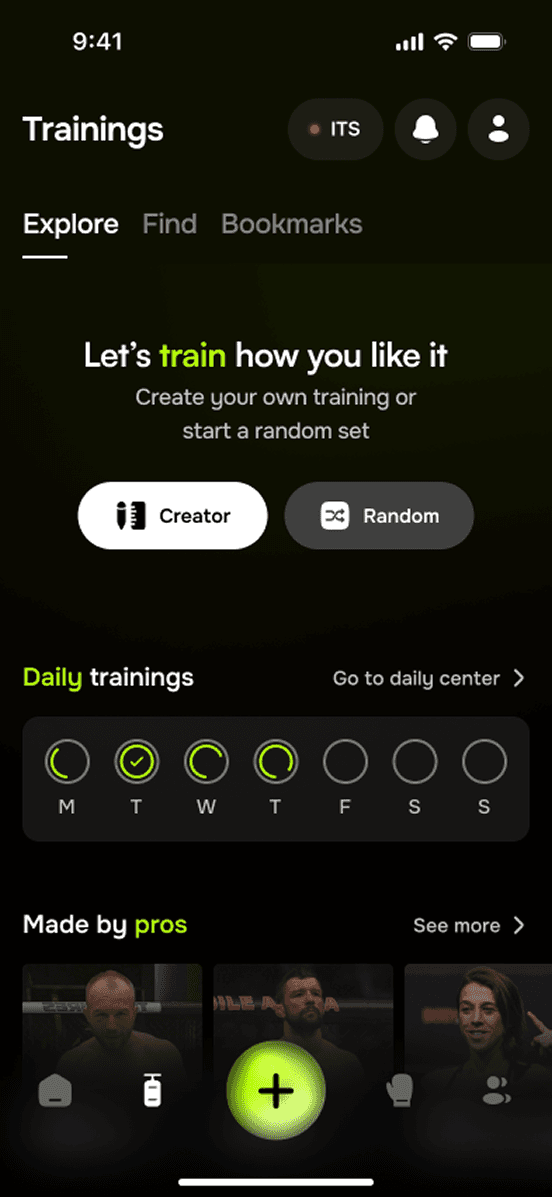
Users can design their own training sessions by selecting exercises, durations, and intensity levels for a personalized experience
Customized recommendations
Based on user performance and preferences, the app provides tailored training recommendations to optimize their progress and results
Competition
Leagues
Users can compete over time to accumulate league points, aiming to climb the leaderboard and showcase their skills
Tournaments
Short-term competitions can be organized locally, providing users with opportunities to compete against others and test their skills in a dynamic environment
Social
Wall
Users can view posts from other users, sharing their achievements, tips, and experiences, creating a sense of community and encouragement
Chat
The chat function enables users to communicate directly with friends, trainers, and community members, facilitating collaboration and support
Home
Informations
Users can view and edit their personal information, including training preferences and contact details
Stats
This feature displays key statistics, such as training duration, challenge scores, and performance metrics, helping users monitor their progress over time
What is it for?
" transform="translate(5.332 5.332)" width="21.333370000000002px"/></svg>)
" transform="translate(4 4)" width="24px"/><path d="M 3.333 3.333 L 10.667 0 L 7.333 7.333 L 0 10.667 Z" fill="transparent" height="10.6666px" id="MT_qJlPjM" stroke-dasharray="" stroke-linecap="round" stroke-linejoin="round" stroke-width="2" stroke="rgb(255, 255, 255)" transform="translate(10.667 10.667)" width="10.6666px"/></svg>)
How it works
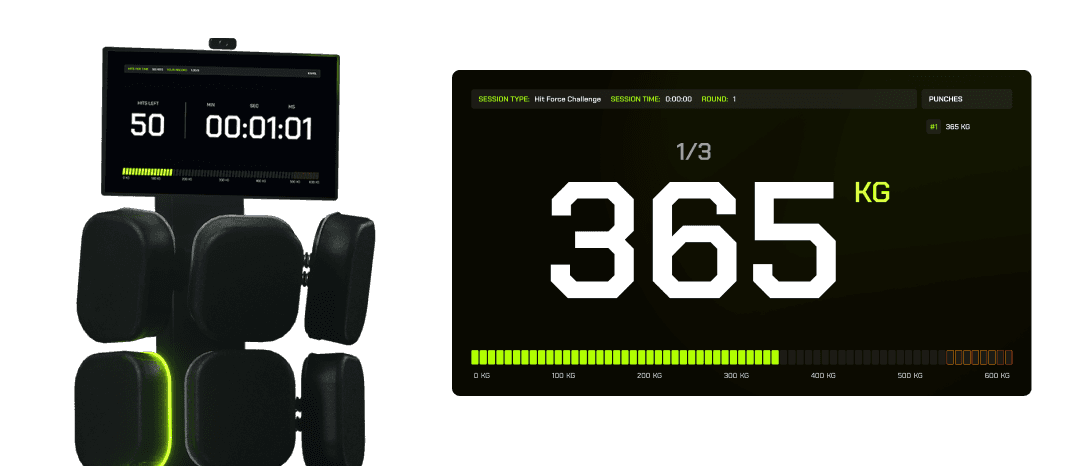
Minimal distractions
The interface displays only crucial stats, avoiding unnecessary distractions so users can concentrate on performance and technique