
Overview

Efectivo is a complete ecosystem designed to improve warehouse management by making operations more efficient, increasing safety, and helping teams work smarter. It brings together real-time location tracking and task automation.

By focusing on clear data, smart workflows, and better communication, Efectivo helps businesses manage their warehouses more effectively while also supporting employees with the tools they need to stay organized and motivated. It’s a practical, scalable solution that adapts to everyday challenges and keeps operations running smoothly.

Goal

The goal was to create a system that could provide precise localization data, incrase safety and efficiency in warehouses

My role

I focused on research, brainstorming during ideation, gathering user feedback through testing, and enhancing usability based on that feedback. I lead efforts to improve app components and streamline design processes to create a more effective and user-friendly system.
Highlights

Highlights

Highlights

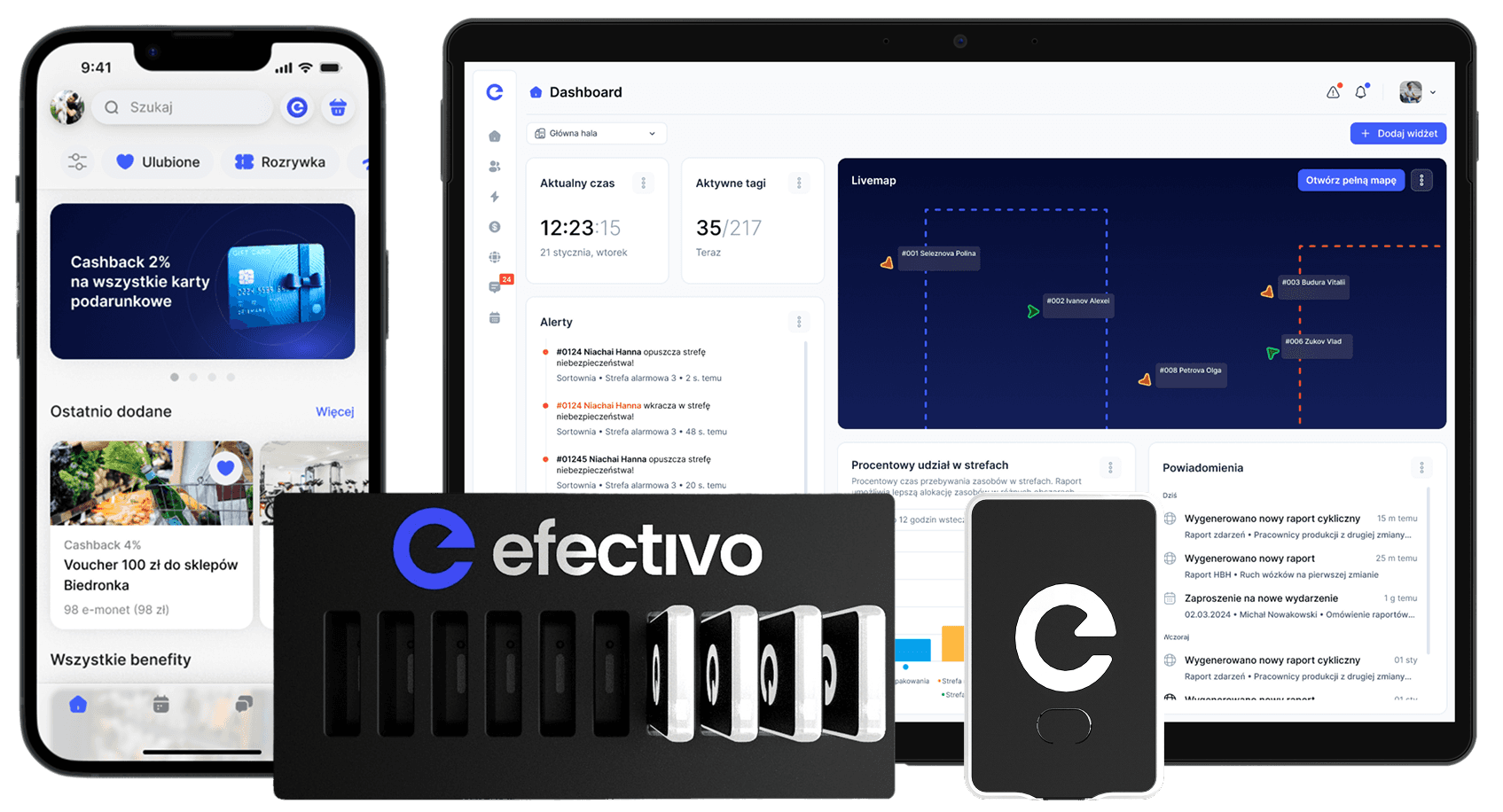
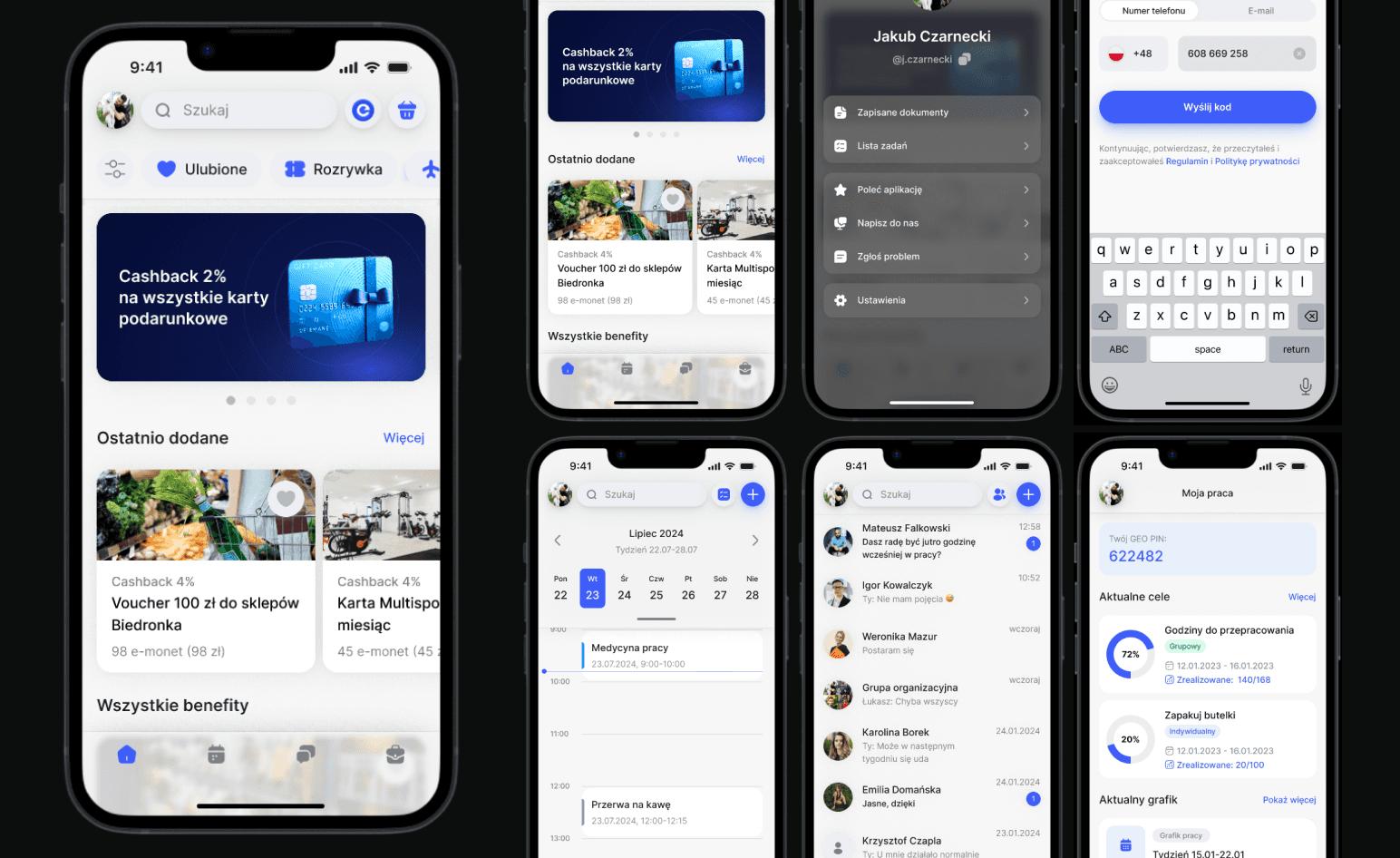
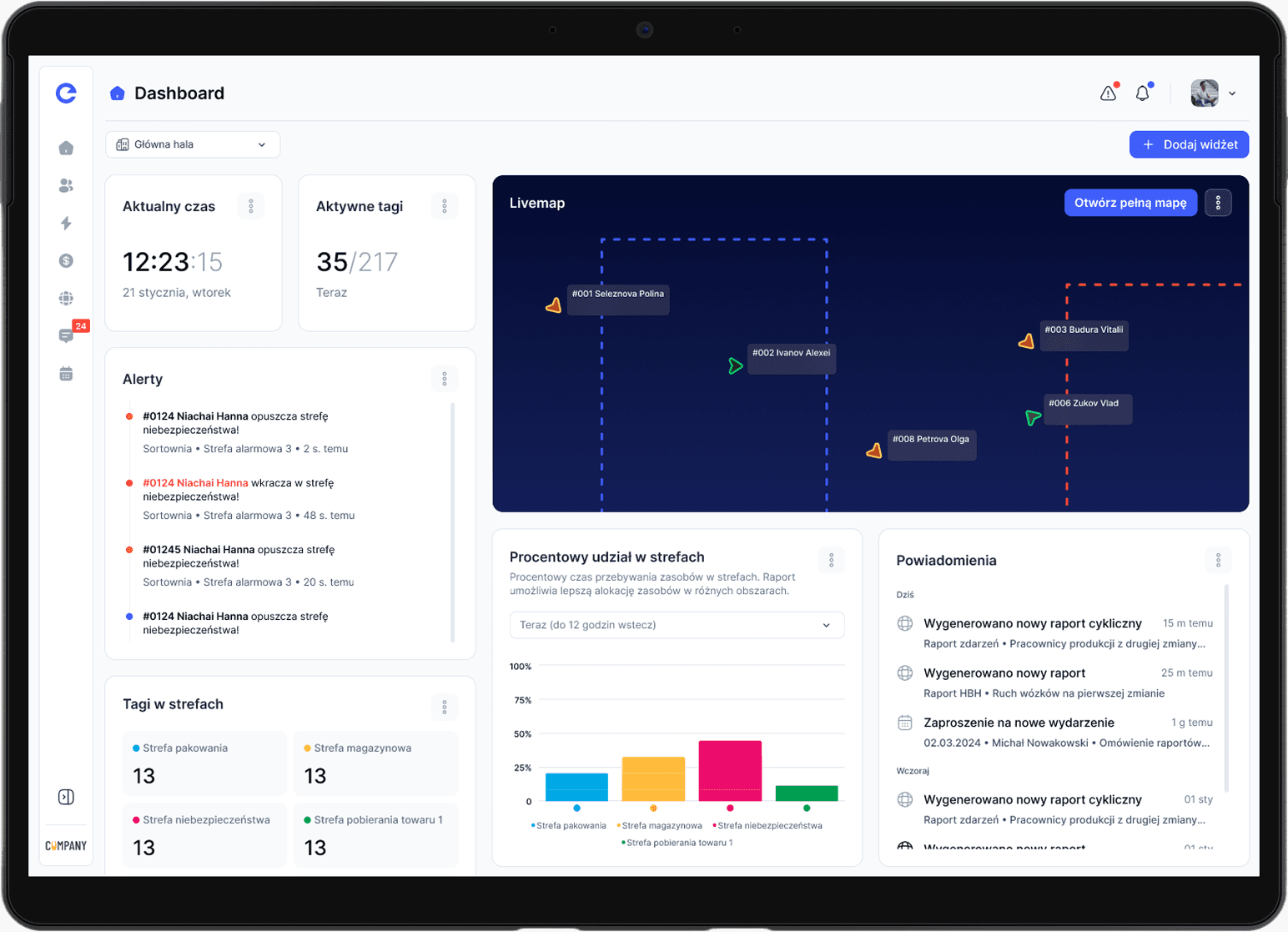
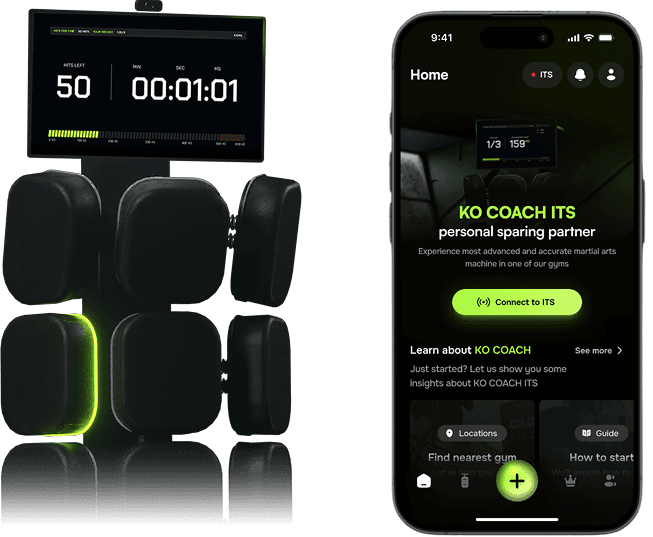
Few views on ITS Software, Mobile App and Desktop App that create KO COACH environment for full experience

Few views on ITS Software, Mobile App and Desktop App that create KO COACH environment for full experience

Few views on ITS Software, Mobile App and Desktop App that create KO COACH environment for full experience

Introduction

Introduction

Introduction

Understant how it started and how efectivo has been trying to become a no. 1 warehouse management system on the market

Understant how it started and how efectivo has been trying to become a no. 1 warehouse management system on the market

Understant how it started and how efectivo has been trying to become a no. 1 warehouse management system on the market

Overview

In modern logistics, efficiency isn’t just about speed - it’s about precision, safety, and keeping teams connected. Efectivo is a suite of digital tools designed to improve how warehouses operate by combining real-time location tracking, workflow automation, and an intuitive employee app.

My role in this project was to design a system that not only streamlines operations but also creates a better experience for the people working within it. From mapping out spatial dynamics with Efectivo GEO to optimizing workforce collaboration in Efectivo WORK and enhancing engagement through the Efectivo APP, this project was about more than just functionality—it was about designing an ecosystem that balances technology with human needs. The challenge was to create a seamless, easy-to-use platform that improves efficiency while making day-to-day tasks more intuitive and transparent.
Timeline

Timeline

Timeline

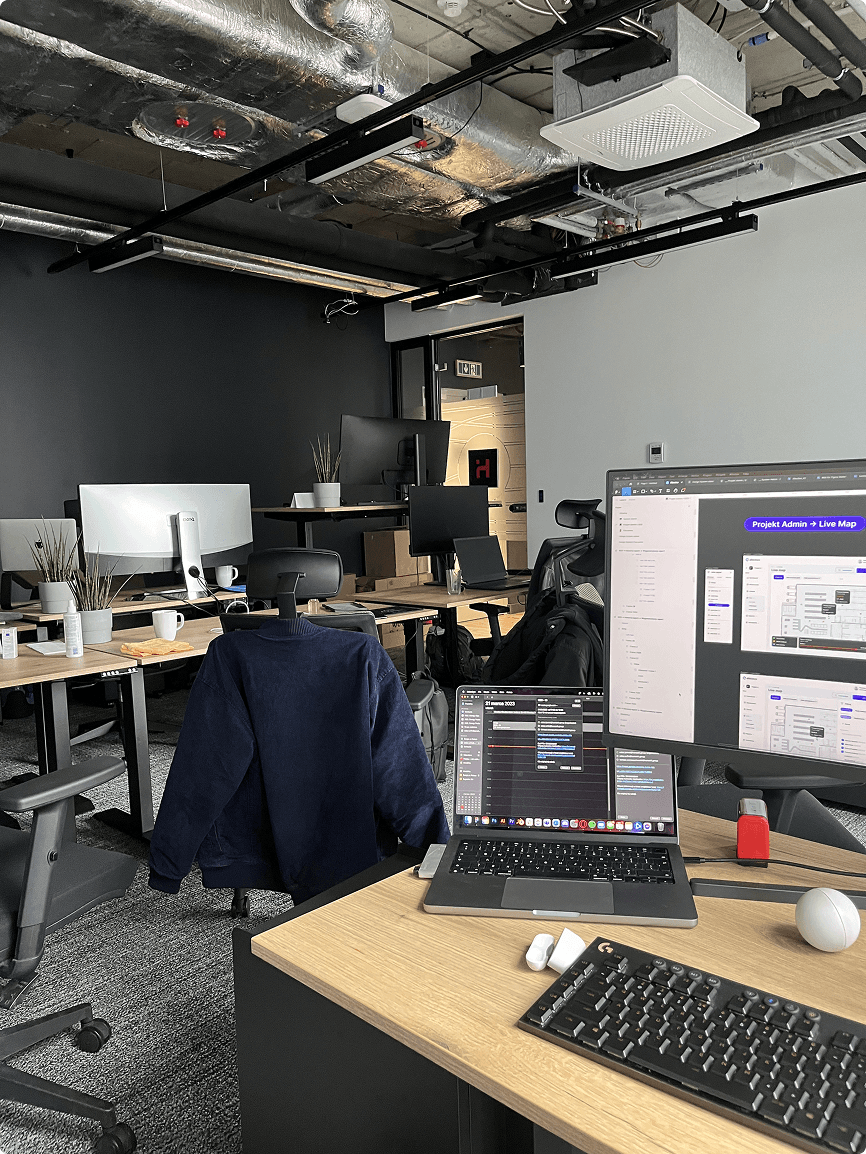
In this thread you will be able to see how efectivo was improving over the years

In this thread you will be able to see how efectivo was improving over the years

In this thread you will be able to see how efectivo was improving over the years

June 2022

Joined efectivo

The parent company of our software house had extensive experience in the warehouse industry, which sparked the idea to create a comprehensive system for managing warehouse operations. This vision led to the development of Efectivo, a platform aimed at improving workforce efficiency, safety, and operational oversight.
July 2022

Mobile App Concepts

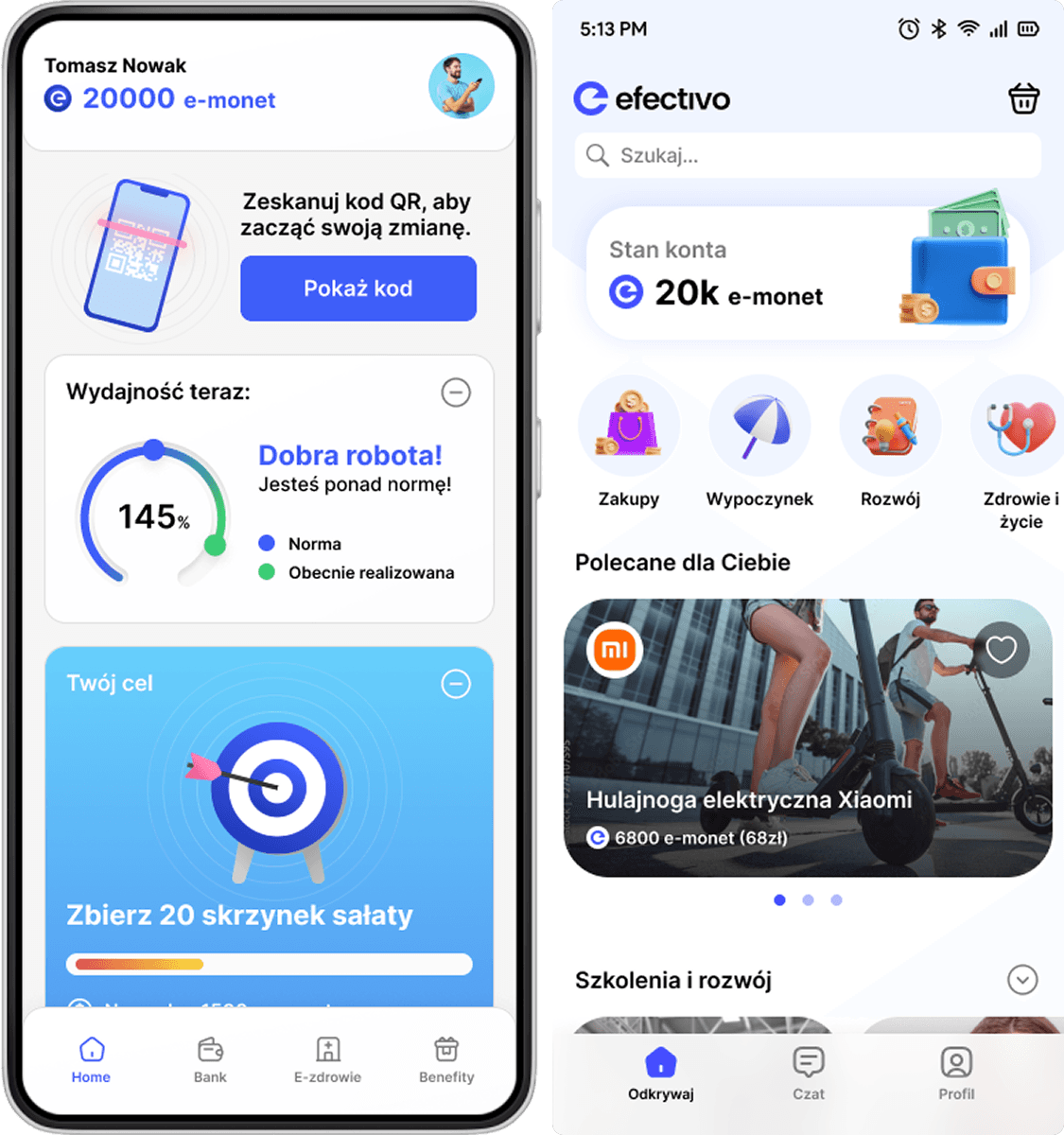
While the engineering team worked on the geo tags technology, our focus shifted to the mobile app concept. We aimed to create an app that would support employee effectiveness, integrate a rewarding system, and facilitate better engagement.
December 2022

Desktop App

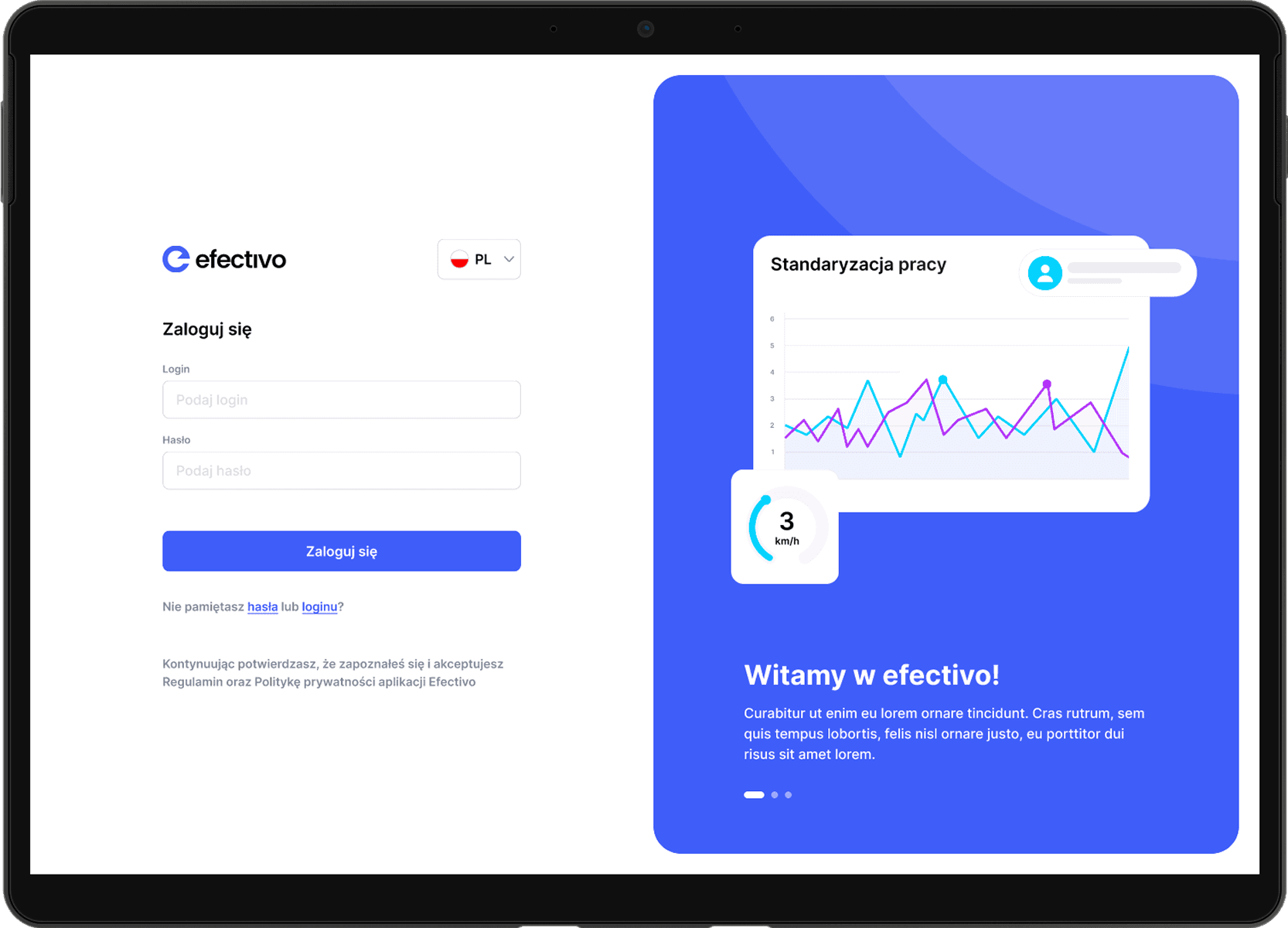
Once we had a clear understanding of how geo tags would function, we moved forward with developing the desktop app, which included essential features like a live map, detailed reports, and resource management tools. This version of the system provided managers with real-time insights into warehouse operations.
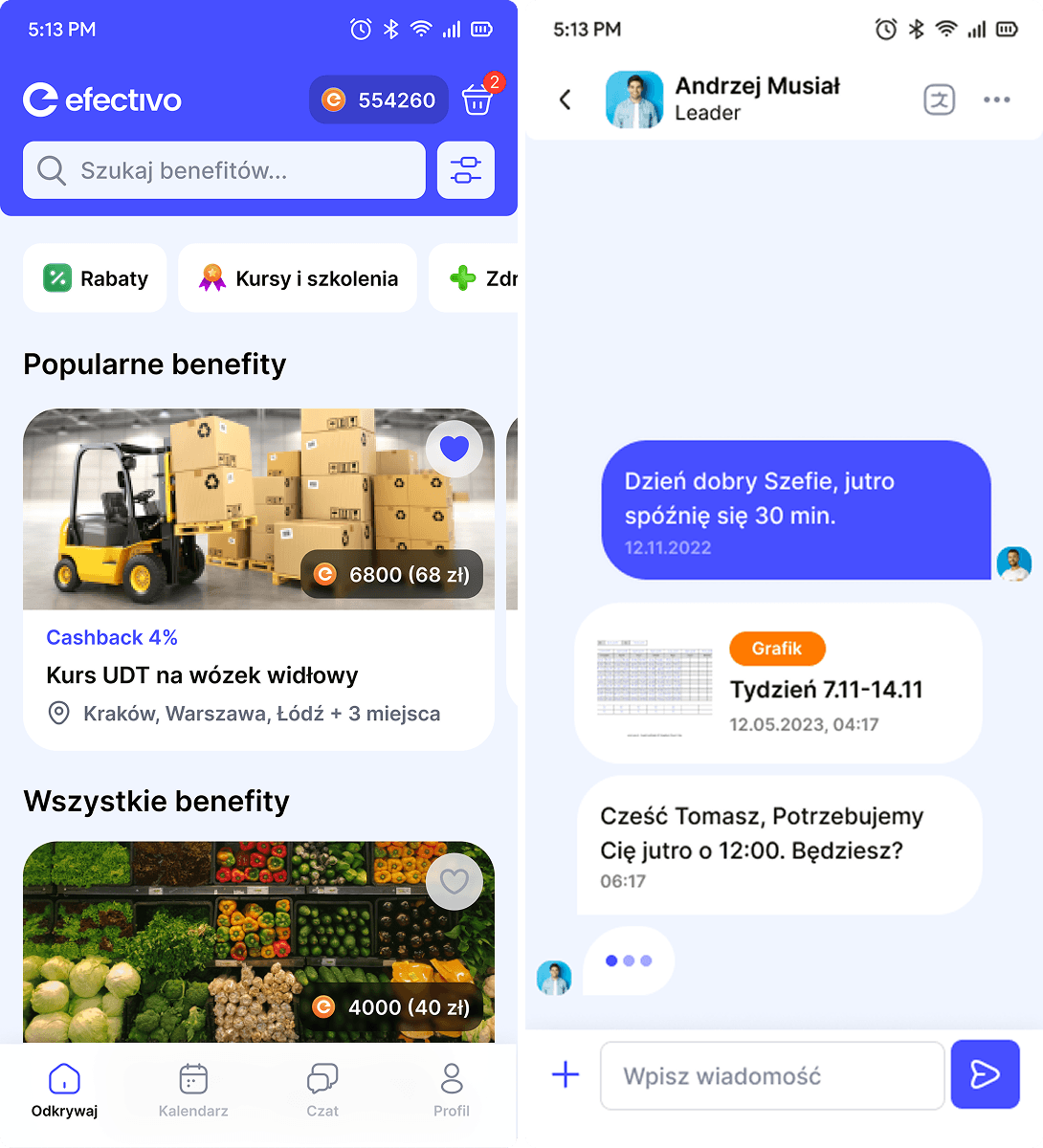
April 2023

Mobile App Release

After receiving the first round of user feedback, we refined our mobile app and made adjustments to better meet employee needs. We shifted our focus to benefits management, task management, and communication features, creating a more focused and streamlined experience for users.
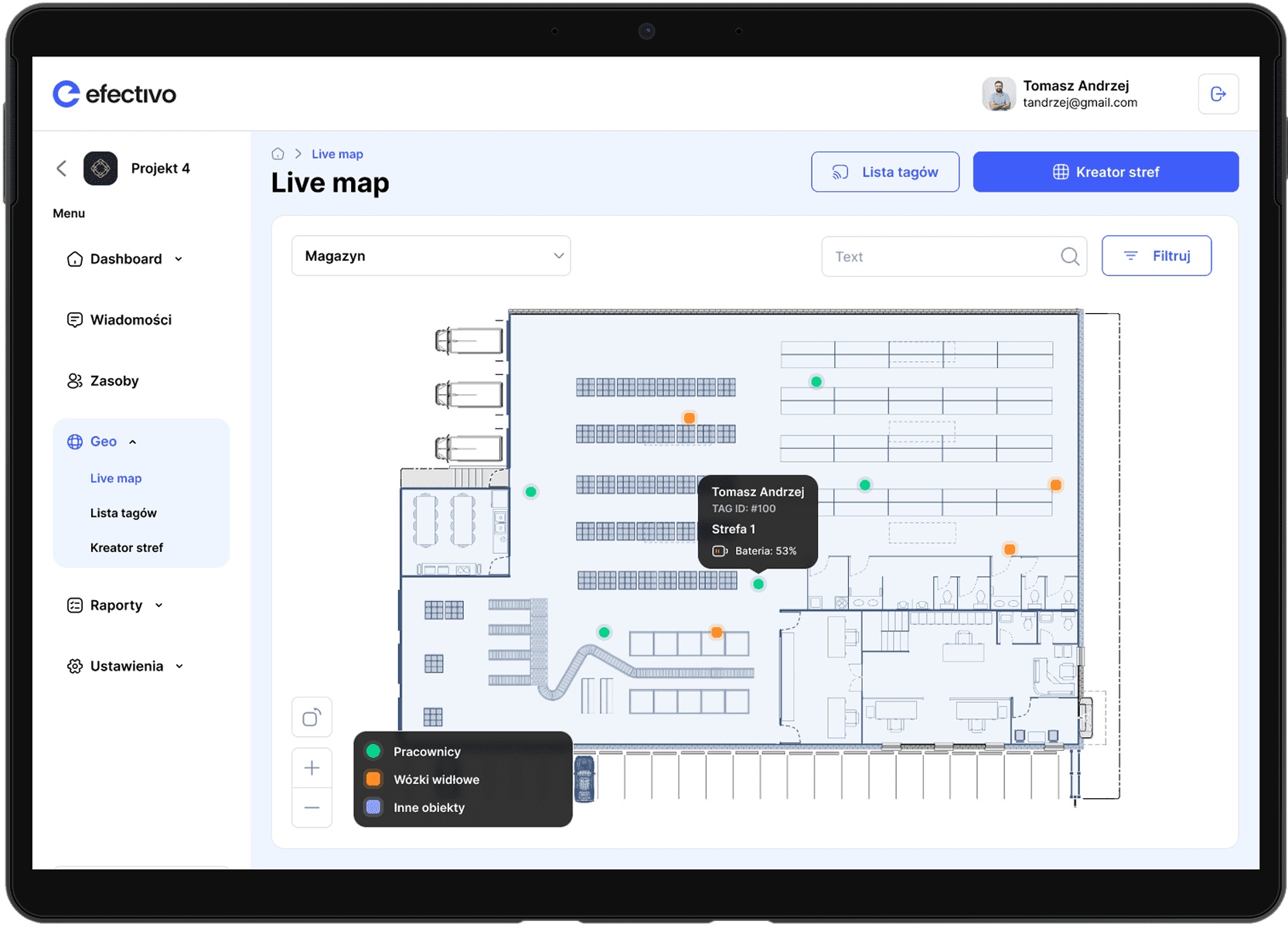
May 2023

Efectivo GEO

After the initial tests, we were able to allocate more resources to the most critical component of the system. We focused on improving the live map experience for real-time tracking and developing various report types to offer deeper insights into workforce and operational data. This step marked a significant enhancement in the system's ability to monitor and optimize warehouse activities.
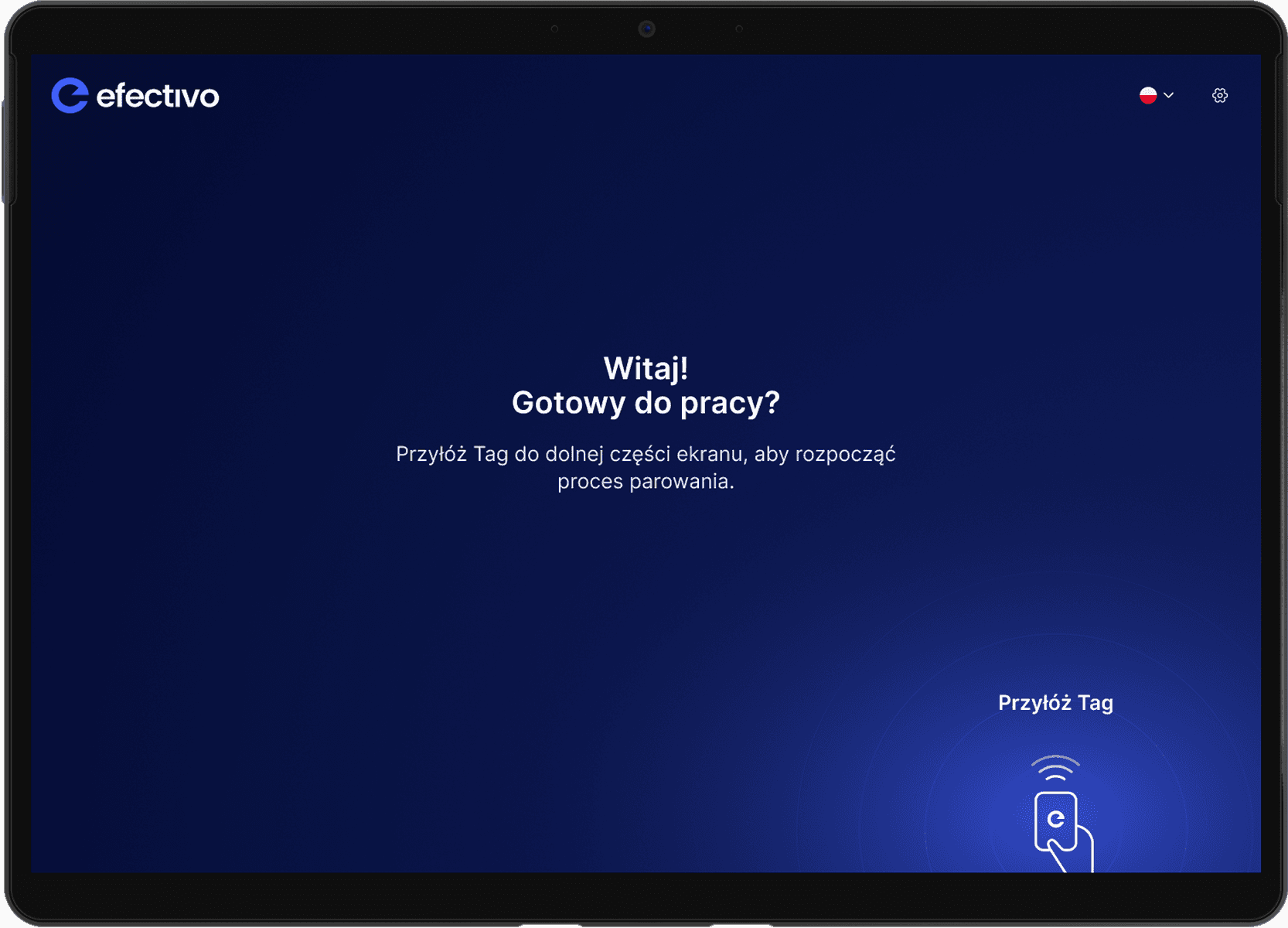
May 2023

Terminal software

To facilitate the seamless pairing of geo tags with employees, we developed a specialized tool.
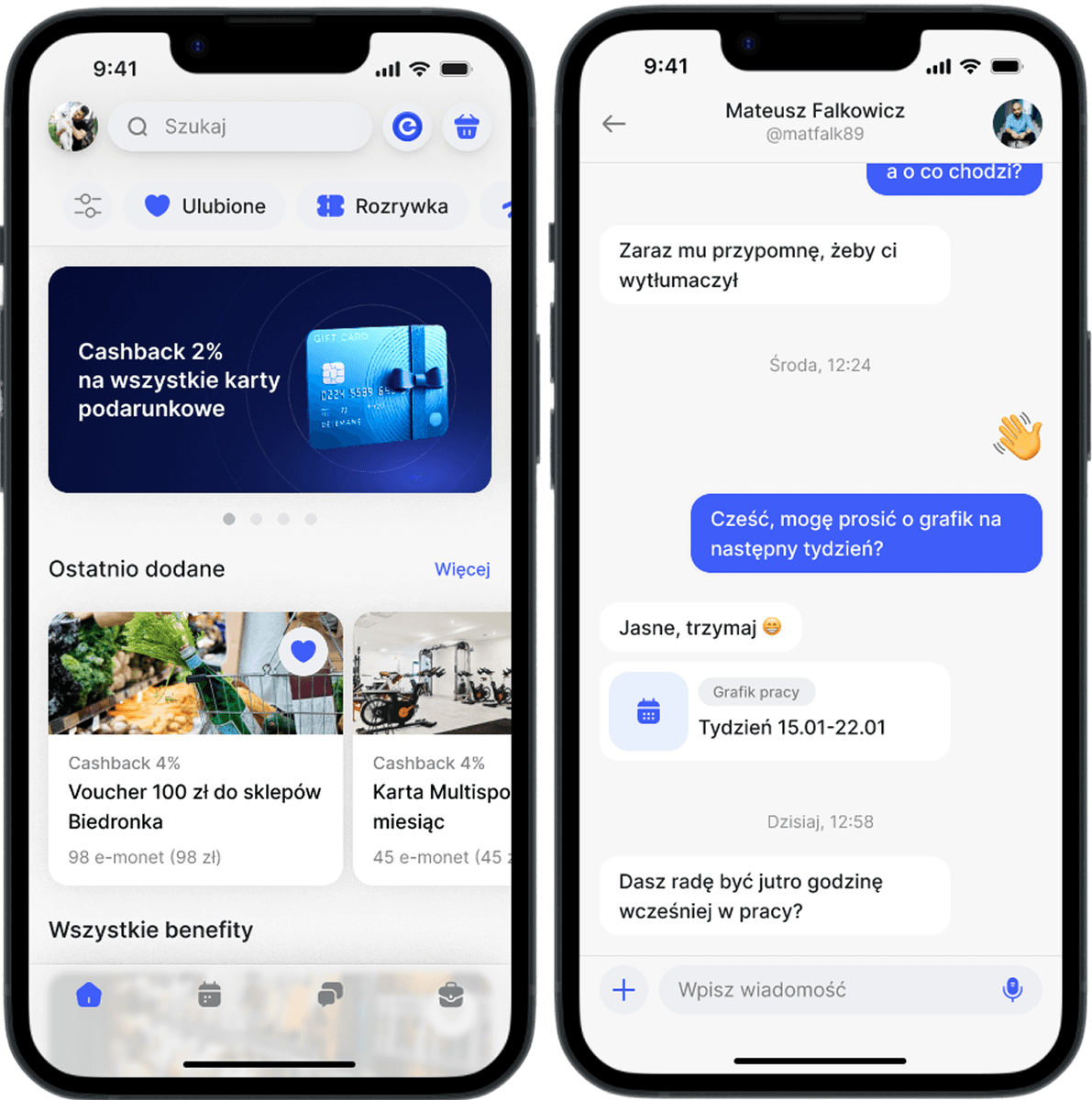
July 2023

Mobile App Redesign

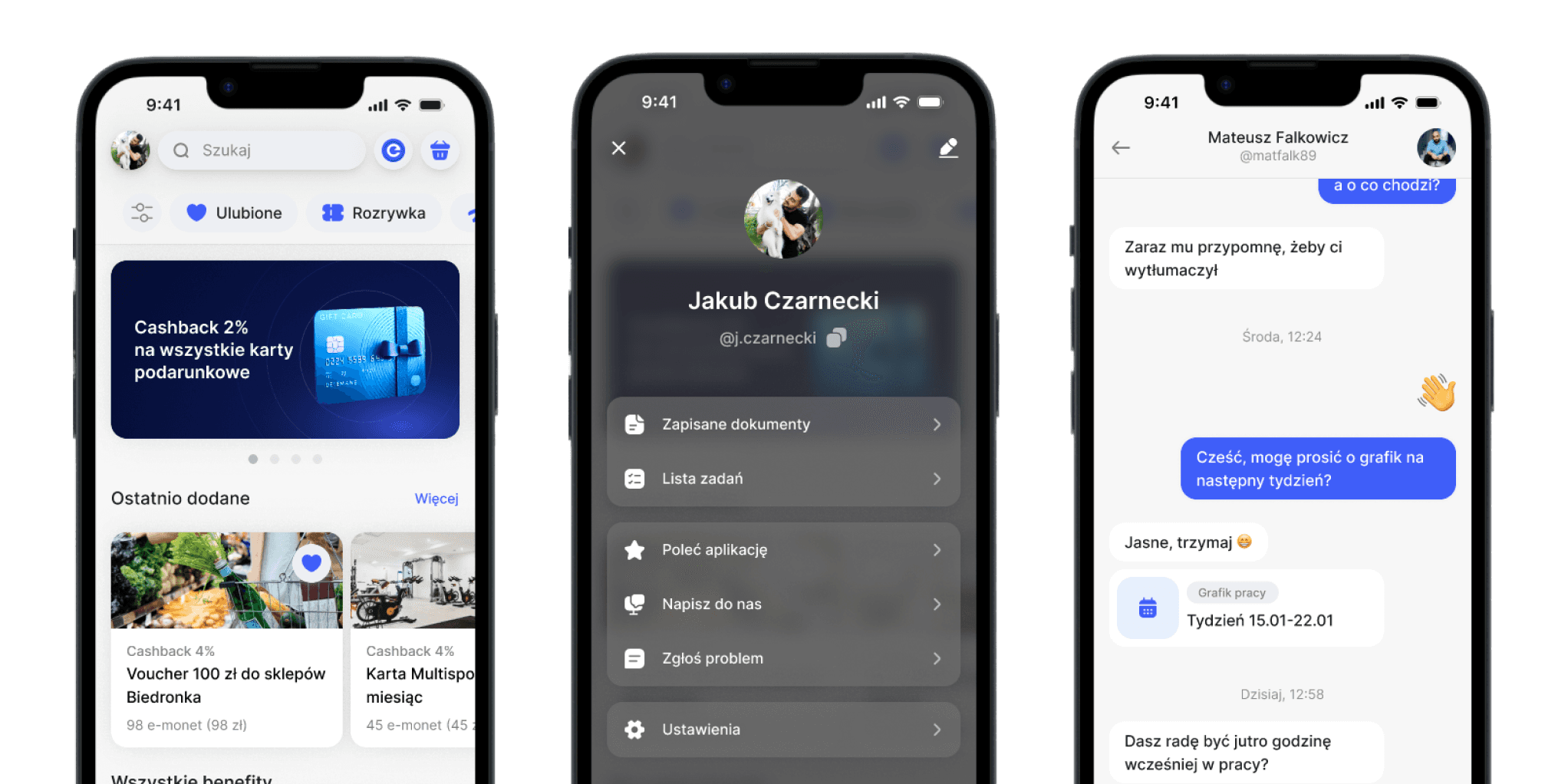
Following initial testing of the mobile app, we encountered accessibility issues, and realized that not every user scenario had been fully addressed. The project file structure also proved difficult to maintain, which made adding new features challenging. To resolve these issues, we focused on redesigning the app to improve accessibility, streamline user flows, and create a more efficient, scalable design system for easier future updates.
September 2023

Web App Redesign

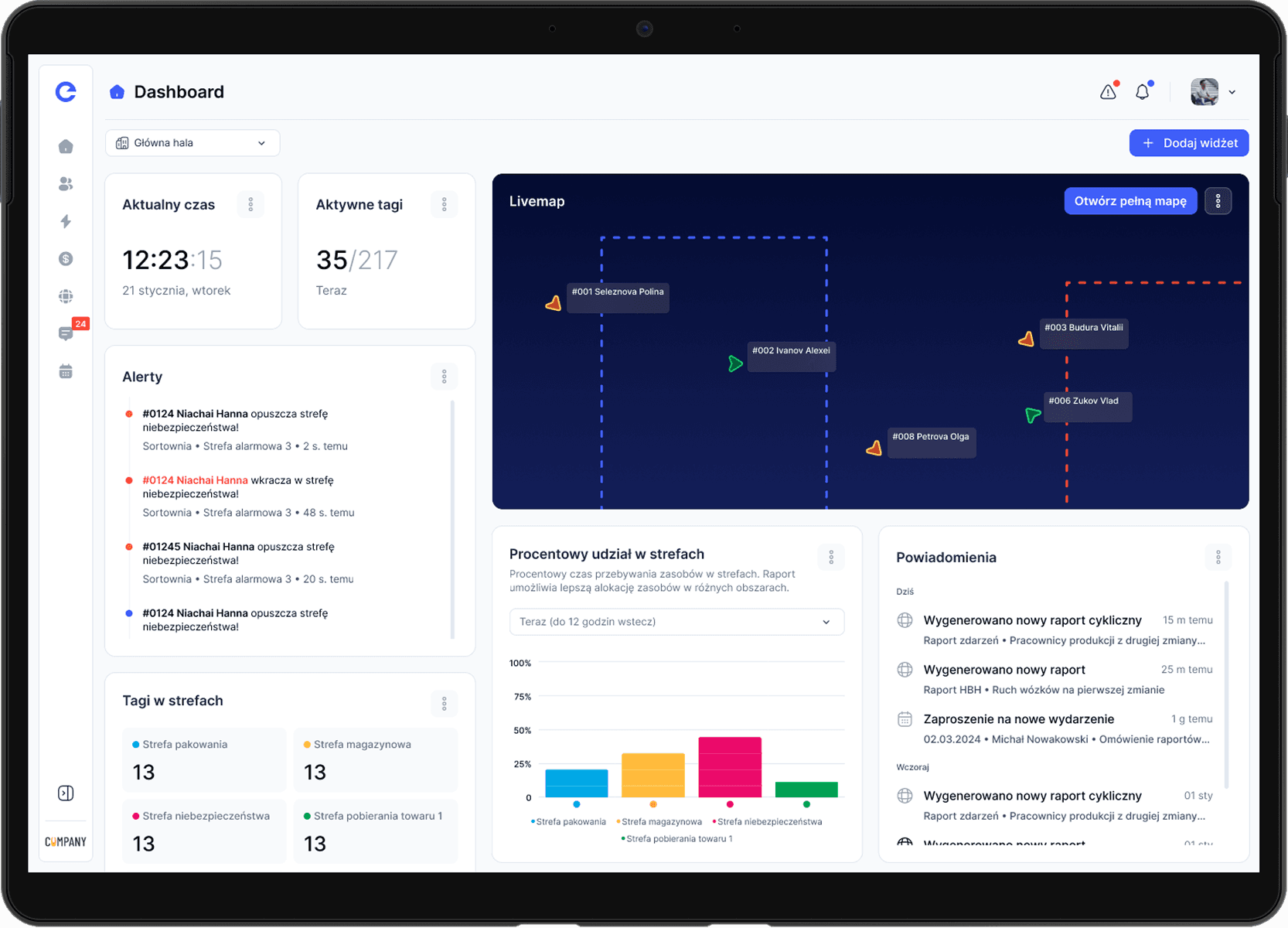
Test results revealed that the functionality range of the web app needed to be significantly expanded beyond what was initially defined for the MVP. This redesign aimed to optimize complex processes, making them more intuitive and efficient, while also improving accessibility to ensure a smoother experience for all users. The focus was on streamlining workflows and creating a more robust platform that could scale with the growing needs of the system.
Mobile App

Mobile App

Mobile App

Explore the main features of the app and on what parts we were trying to focused during improvement processes

Explore the main features of the app and on what parts we were trying to focused during improvement processes

Explore the main features of the app and on what parts we were trying to focused during improvement processes

What's the app for?

Discover the crucial features of the Efectivo mobile app that empower employees and streamline warehouse operations

Discover the crucial features of the Efectivo mobile app that empower employees and streamline warehouse operations

Discover the crucial features of the Efectivo mobile app that empower employees and streamline warehouse operations

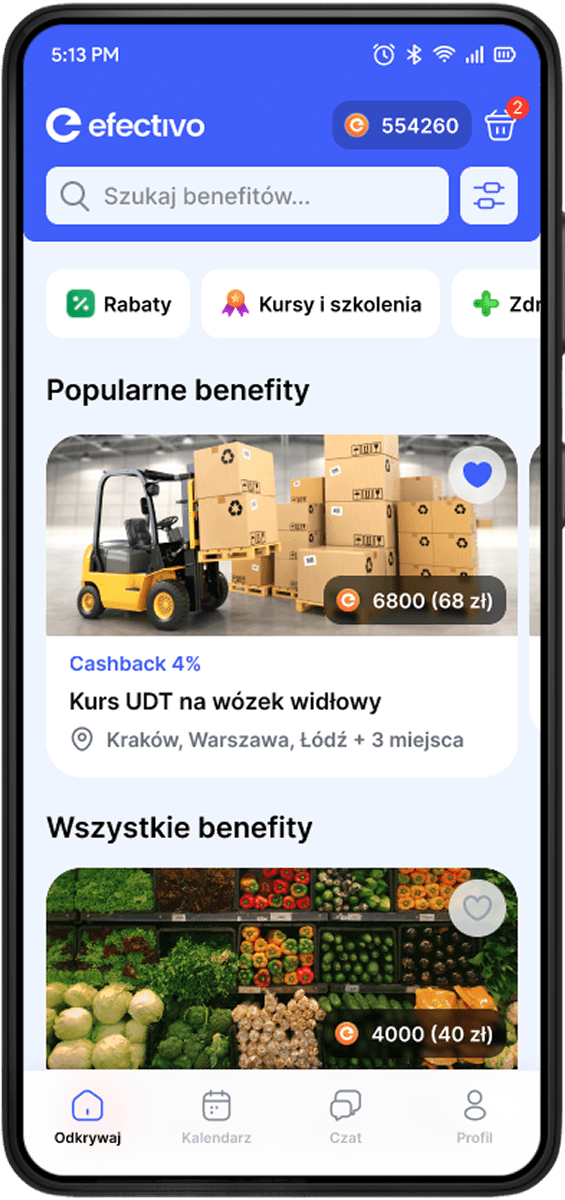
Benefits market

Benefits market

Benefits market

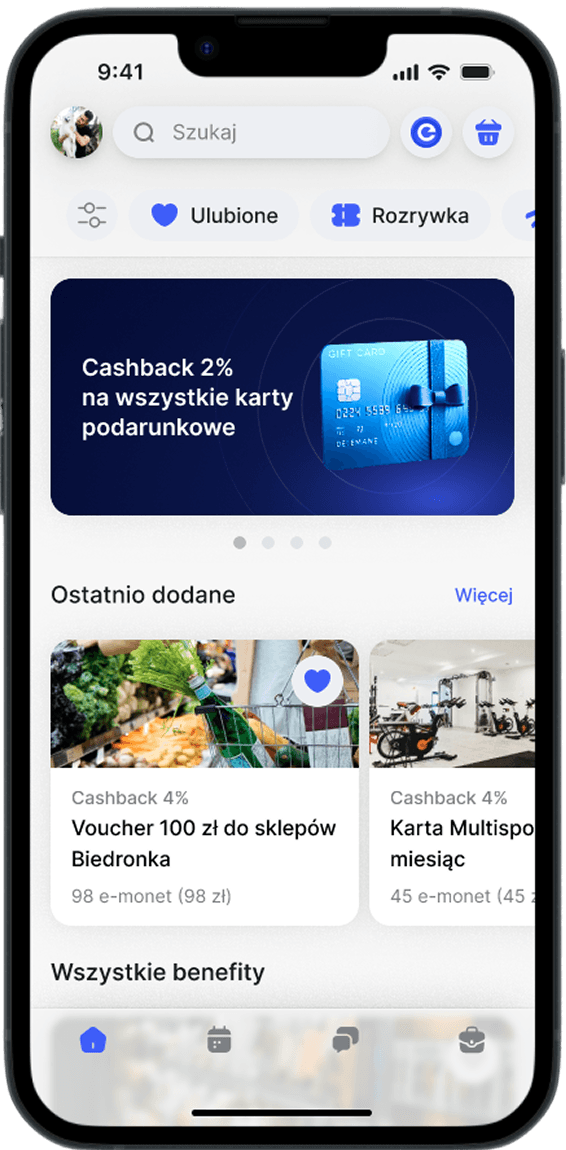
It rewards employees with e-coins, which can be redeemed for gift cards, or discounts, Increasing motivation, engagement, and job satisfaction by making recognition transparent and personalized

It rewards employees with e-coins, which can be redeemed for gift cards, or discounts, Increasing motivation, engagement, and job satisfaction by making recognition transparent and personalized

It rewards employees with e-coins, which can be redeemed for gift cards, or discounts, Increasing motivation, engagement, and job satisfaction by making recognition transparent and personalized

Chat

Chat

Chat

With features like group chats, file sharing, and automatic translation, it keeps teams connected and workflows efficient, reducing misunderstandings and delays

With features like group chats, file sharing, and automatic translation, it keeps teams connected and workflows efficient, reducing misunderstandings and delays

With features like group chats, file sharing, and automatic translation, it keeps teams connected and workflows efficient, reducing misunderstandings and delays

Calendar

Calendar

Calendar

Helps employees manage schedules, track tasks, and set reminders. With shared events and notifications, it keeps teams organized and ensures smooth workflow coordination

Helps employees manage schedules, track tasks, and set reminders. With shared events and notifications, it keeps teams organized and ensures smooth workflow coordination

Helps employees manage schedules, track tasks, and set reminders. With shared events and notifications, it keeps teams organized and ensures smooth workflow coordination

Job assistance

Job assistance

Job assistance

Provides quick access to guidelines, task support, and troubleshooting. It helps employees stay efficient by offering real-time solutions and resources directly within the app

Provides quick access to guidelines, task support, and troubleshooting. It helps employees stay efficient by offering real-time solutions and resources directly within the app

Provides quick access to guidelines, task support, and troubleshooting. It helps employees stay efficient by offering real-time solutions and resources directly within the app

Evolution

The app had taken a lot of steps before getting to this point. We have started with balanced concept, where we could define which features we want to focus on

The app had taken a lot of steps before getting to this point. We have started with balanced concept, where we could define which features we want to focus on

The app had taken a lot of steps before getting to this point. We have started with balanced concept, where we could define which features we want to focus on

First concept

First release

Redesign

First concept

The initial idea for the app was to create an all-in-one support system for employees. The goal was to simplify daily tasks while also improving overall well-being

The initial idea for the app was to create an all-in-one support system for employees. The goal was to simplify daily tasks while also improving overall well-being

The initial idea for the app was to create an all-in-one support system for employees. The goal was to simplify daily tasks while also improving overall well-being

Job assistance

Quick access to task guidance, troubleshooting, and company resources to help employees work more efficiently

Health

Access to wellness programs, medical consultations, and mental health support to promote a healthier work environment

Banking

Integrated salary tracking, instant payouts, and financial tools to give employees better control over their earnings

Benefits

A marketplace where employees could earn and redeem perks, creating incentives for engagement and performance

Conclusions

Based on our insights, we refined the app to better align with employee needs and workplace realities. The key shifts in our approach included:

Based on our insights, we refined the app to better align with employee needs and workplace realities. The key shifts in our approach included:

Based on our insights, we refined the app to better align with employee needs and workplace realities. The key shifts in our approach included:

Based on our insights, we refined the app to better align with employee needs and workplace realities. The key shifts in our approach included:

Limited Mobile Access in Warehouses

Warehouses, restrict mobile phone use for safety and security reasons. This made us reconsider the reliance on a mobile app for critical job assistance functions

Complexity of Implementation & Maintenance

Certain features, like mobile banking and health services, required extensive integration with external systems, making them difficult to develop

Shifting Focus to Employee Rewards

Recognizing the impact of motivation and engagement, we decided to prioritize a reward system that incentivizes performance and creates a positive work environment

Refinement

As we defined our crucial conclusions from user feedback and testing, we set to work on refining the app to better meet the needs of our users

As we defined our crucial conclusions from user feedback and testing, we set to work on refining the app to better meet the needs of our users

As we defined our crucial conclusions from user feedback and testing, we set to work on refining the app to better meet the needs of our users

Benefits priotized

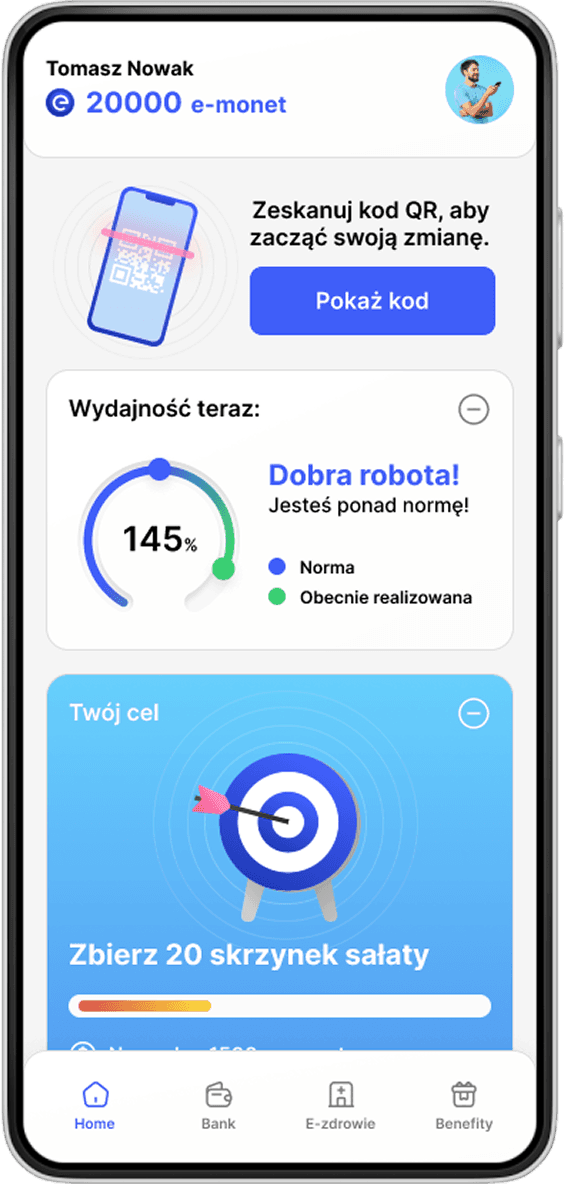
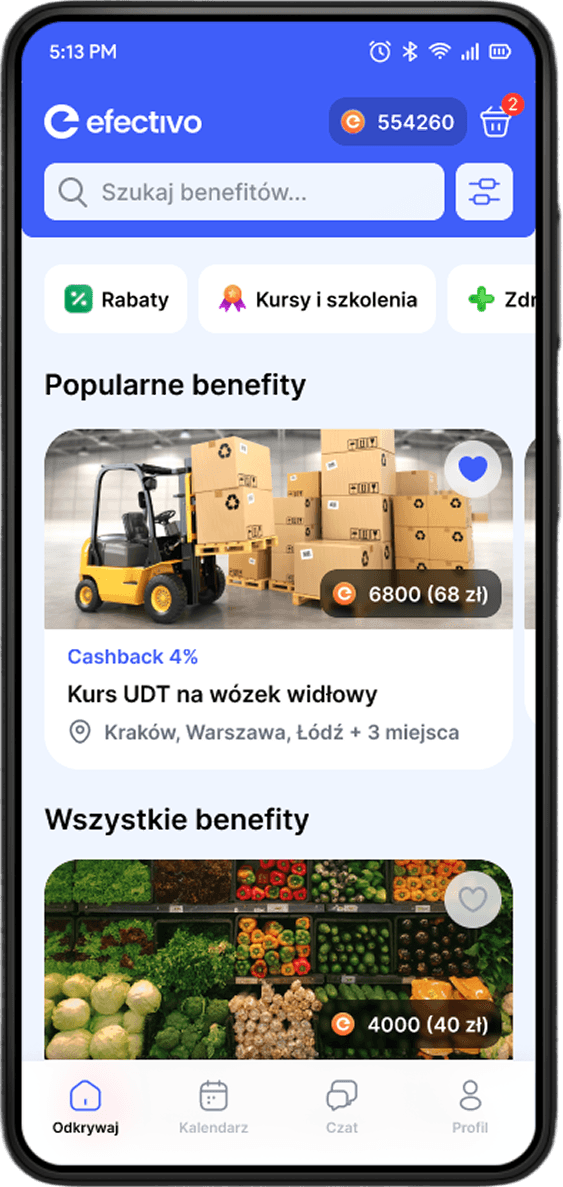
We placed the rewards system at the center of the app, making it the primary driver of engagement. Employees could earn and redeem perks, reinforcing motivation and recognition

App as an after-hours tool

Since mobile phones weren’t always allowed in warehouses, we positioned the app as an after-hours tool - a space where employees could check schedules, track rewards, and stay informed outside of work

Connecting employees with liders

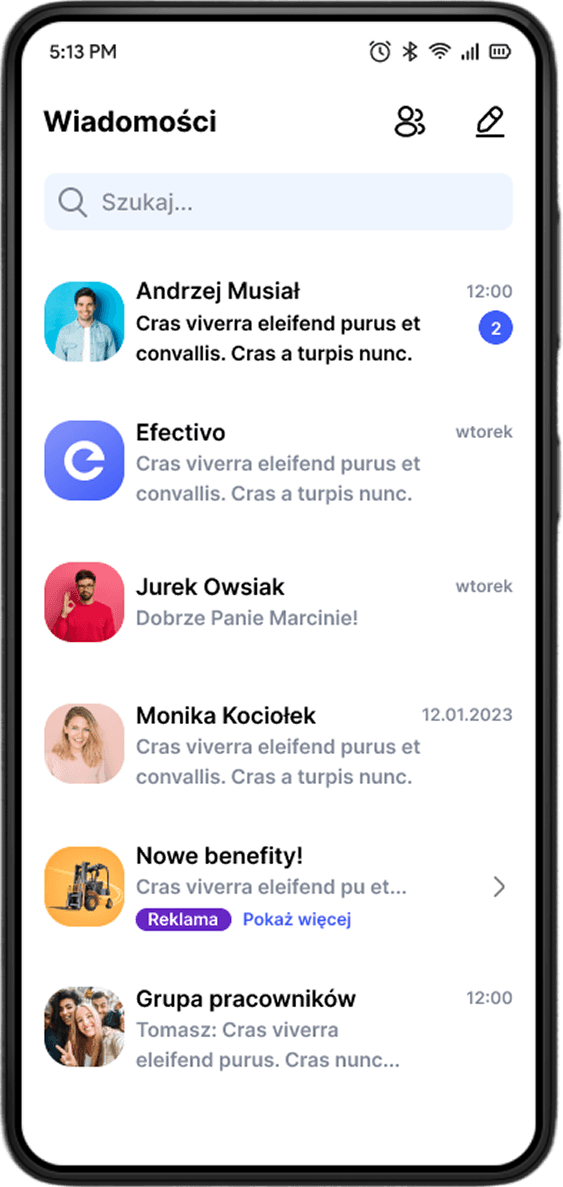
We introduced communication features that help employees stay in touch with their managers, ensuring better feedback, goal-setting, and overall engagement
Redesign

Based on test results and user feedback, we refined the app to be more intuitive, adaptable, and scalable. Our key focus areas included

Based on test results and user feedback, we refined the app to be more intuitive, adaptable, and scalable. Our key focus areas included

Based on test results and user feedback, we refined the app to be more intuitive, adaptable, and scalable. Our key focus areas included

Simplyfied view

Simplyfied view

Simplyfied view

We streamlined the interface to reduce clutter and improve navigation, making key features easily accessible without overwhelming users

We streamlined the interface to reduce clutter and improve navigation, making key features easily accessible without overwhelming users

We streamlined the interface to reduce clutter and improve navigation, making key features easily accessible without overwhelming users

Defining all scenarios

Defining all scenarios

Defining all scenarios

We designed interfaces for every scenario, ensuring the app remained functional across different roles, workflows, and usage conditions

We designed interfaces for every scenario, ensuring the app remained functional across different roles, workflows, and usage conditions

We designed interfaces for every scenario, ensuring the app remained functional across different roles, workflows, and usage conditions

Solving crucial pain points

Solving crucial pain points

Solving crucial pain points

By addressing the biggest user frustrations, like unclear navigation or complex processes, we improved the overall experience and engagement

By addressing the biggest user frustrations, like unclear navigation or complex processes, we improved the overall experience and engagement

By addressing the biggest user frustrations, like unclear navigation or complex processes, we improved the overall experience and engagement

Preparation for effective maintenance

Preparation for effective maintenance

Preparation for effective maintenance

We introduced a design system with reusable components and flexible layouts, making it easier to update and modify screens

We introduced a design system with reusable components and flexible layouts, making it easier to update and modify screens

We introduced a design system with reusable components and flexible layouts, making it easier to update and modify screens

Registration

The registration process was designed to be fast, flexible, and user-friendly, ensuring that employees could start using the app with minimal effort. The key functionalities include:

The registration process was designed to be fast, flexible, and user-friendly, ensuring that employees could start using the app with minimal effort. The key functionalities include:

The registration process was designed to be fast, flexible, and user-friendly, ensuring that employees could start using the app with minimal effort. The key functionalities include:

Social media registration

The form auto-fills common details where possible and provides real-time validation, reducing mistakes and the need for corrections

Smart defaults

The form auto-fills common details where possible and provides real-time validation, reducing mistakes and the need for correctieons

Connecting to ITS

Simplyfied registration path

Simplyfied registration path

This is the most important part of the app, enabling seamless connection and interaction with the ITS

Instead of requiring all details upfront, users can provide essential information first and complete their profiles later, making the onboarding process smoother

Instead of requiring all details upfront, users can provide essential information first and complete their profiles later, making the onboarding process smoother

Signing for practice

Pre-Assigned Accounts

Pre-Assigned Accounts

Users can easily sign up for organized training sessions with trainers at the KO COACH Performance Gym

For workplaces that integrate with the system, employees can receive pre-registered accounts with an invite code, allowing them to log in instantly without manual setup

For workplaces that integrate with the system, employees can receive pre-registered accounts with an invite code, allowing them to log in instantly without manual setup

Simplyfied registration path

Instead of requiring all details upfront, users can provide essential information first and complete their profiles later, making the onboarding process smoother

Pre-Assigned Accounts

For workplaces that integrate with the system, employees can receive pre-registered accounts with an invite code, allowing them to log in instantly without manual setup

Explore

The Explore screen was designed to provide a smooth and engaging experience for employees browsing and redeeming rewards. Key functionalities include:

The Explore screen was designed to provide a smooth and engaging experience for employees browsing and redeeming rewards. Key functionalities include:

The Explore screen was designed to provide a smooth and engaging experience for employees browsing and redeeming rewards. Key functionalities include:

Benefits market

A central marketplace where users can explore available rewards, including gift cards or discount

Advanced search

A powerful search function with predictive suggestions and keyword recognition, making it easy to locate specific rewards

Variety of sets

Categories & filters

Categories & filters

The app offers a wide range of predefined training sets, catering to different skill levels and goals for diverse workout options

A structured layout with categories (e.g., wellness, entertainment, travel) to help users quickly find relevant benefits

A structured layout with categories (e.g., wellness, entertainment, travel) to help users quickly find relevant benefits

Training plans

Cart & purchase path

Cart & purchase path

Users can access structured training plans designed to guide their workouts and help them achieve specific martial arts goals efficiently

Users can add rewards to their cart and redeem benefits using e-coins earned through work performance and engagement

Users can add rewards to their cart and redeem benefits using e-coins earned through work performance and engagement

Categories & filters

A structured layout with categories (e.g., wellness, entertainment, travel) to help users quickly find relevant benefits

Cart & purchase path

Users can add rewards to their cart and redeem benefits using e-coins earned through work performance and engagement

Calendar

The calendar screen was designed to help employees and managers plan, track, and manage events efficiently. Key functionalities include:

The calendar screen was designed to help employees and managers plan, track, and manage events efficiently. Key functionalities include:

The calendar screen was designed to help employees and managers plan, track, and manage events efficiently. Key functionalities include:

Events calendar

A visual overview of all upcoming events, shifts, and important deadlines in one place

List of events

A structured view displaying all scheduled events in chronological order, ensuring users never miss key dates

Challenges

Events creator

Events creator

The app features various challenges, such as hit force and reaction time, encouraging users to push their limits and improve

Allows managers and employees to create, edit, and share events, including work meetings, training sessions, and company activities

Allows managers and employees to create, edit, and share events, including work meetings, training sessions, and company activities

VS Mode

Different view types

Different view types

Users can engage in live or non-synchronized competitions with other participants, fostering a sense of rivalry and enhancing the training experience

Users can switch between day, week, and month views to get a detailed or high-level perspective of their schedule

Users can switch between day, week, and month views to get a detailed or high-level perspective of their schedule

Events creator

Allows managers and employees to create, edit, and share events, including work meetings, training sessions, and company activities

Different view types

Users can switch between day, week, and month views to get a detailed or high-level perspective of their schedule

Chat

The Chat screen was designed to keep teams connected and improve collaboration through fast, intuitive messaging. Key functionalities include:

The Chat screen was designed to keep teams connected and improve collaboration through fast, intuitive messaging. Key functionalities include:

The Chat screen was designed to keep teams connected and improve collaboration through fast, intuitive messaging. Key functionalities include:

Chats & group chats

Employees can communicate one-on-one or in group chats, making it easy to coordinate with colleagues and managers

Automatic translation

Built-in translation ensures seamless communication between employees speaking different languages

Explore

Sending events & work documents

Sending events & work documents

This feature highlights trending posts and popular content, allowing users to discover new ideas, techniques, and inspiration from fellow trainees

Users can share schedules, important documents, and task details directly in the chat for quick access

Users can share schedules, important documents, and task details directly in the chat for quick access

Communities

Voice messages

Voice messages

Users can join local communities for their Performance Gym or connect with global communities, promoting interaction and shared learning among martial arts enthusiasts

Users can send voice messages for faster and more convenient communication, especially in busy work environments

Users can send voice messages for faster and more convenient communication, especially in busy work environments

Sending events & work documents

Users can share schedules, important documents, and task details directly in the chat for quick access

Voice messages

Users can send voice messages for faster and more convenient communication, especially in busy work environments

My work

The My Work screen was designed to help employees stay organized, track their schedules, and manage workplace interactions efficiently. Key functionalities include:

The My Work screen was designed to help employees stay organized, track their schedules, and manage workplace interactions efficiently. Key functionalities include:

The My Work screen was designed to help employees stay organized, track their schedules, and manage workplace interactions efficiently. Key functionalities include:

Tasks management

A clear overview of assigned tasks, deadlines, and progress tracking to keep work on schedule

Financial support

Employees can easily submit a request for an advance on their salary, streamlining financial support when needed

History

Sending events & work documents

Sending events & work documents

Users can access their training history, including past workouts and challenges, enabling them to reflect on their growth and areas for improvement

Users can share schedules, important documents, and task details directly in the chat for quick access

Users can share schedules, important documents, and task details directly in the chat for quick access

Achievements

Lider evaluation

Lider evaluation

The achievements section showcases users' milestones, rewards, and completed challenges, celebrating their accomplishments and encouraging further progress

A feedback system where employees can rate their leader, providing insights on management and workplace experience

A feedback system where employees can rate their leader, providing insights on management and workplace experience

Sending events & work documents

Users can share schedules, important documents, and task details directly in the chat for quick access

Lider evaluation

A feedback system where employees can rate their leader, providing insights on management and workplace experience

Profile

The Profile screen provides employees with easy access to personal settings, work-related documents, and support options. Key functionalities include:

The Profile screen provides employees with easy access to personal settings, work-related documents, and support options. Key functionalities include:

The Profile screen provides employees with easy access to personal settings, work-related documents, and support options. Key functionalities include:

Personal info modification

Users can update their details, such as contact information, profile picture, and preferences

App support

Direct access to help resources, FAQs, and a contact option for reaching support when needed
History

Shared documents & tasks list

Shared documents & tasks list

Users can access their training history, including past workouts and challenges, enabling them to reflect on their growth and areas for improvement

A centralized space for important files and assigned tasks, ensuring quick access to necessary information

A centralized space for important files and assigned tasks, ensuring quick access to necessary information

Achievements

Settings

Settings

The achievements section showcases users' milestones, rewards, and completed challenges, celebrating their accomplishments and encouraging further progress

Customizable preferences, including notifications, language selection, and security options

Customizable preferences, including notifications, language selection, and security options

Shared documents & tasks list

A centralized space for important files and assigned tasks, ensuring quick access to necessary information

Settings

Customizable preferences, including notifications, language selection, and security options

Desktop App

Desktop App

Desktop App

It’s the most important part of the system, serving as a centralized management tool for leaders in warehouses. Directly connected with geo tags, it enables real-time tracking of resource activity

It’s the most important part of the system, serving as a centralized management tool for leaders in warehouses. Directly connected with geo tags, it enables real-time tracking of resource activity

It’s the most important part of the system, serving as a centralized management tool for leaders in warehouses. Directly connected with geo tags, it enables real-time tracking of resource activity

What is it for?

Discover the crucial features of the Web App. Combining geo-tracking with administrative tools, this platform empowers leaders to monitor employee activity, manage resources, generate insightful reports and optimize operations

Discover the crucial features of the Web App. Combining geo-tracking with administrative tools, this platform empowers leaders to monitor employee activity, manage resources, generate insightful reports and optimize operations

Discover the crucial features of the Web App. Combining geo-tracking with administrative tools, this platform empowers leaders to monitor employee activity, manage resources, generate insightful reports and optimize operations

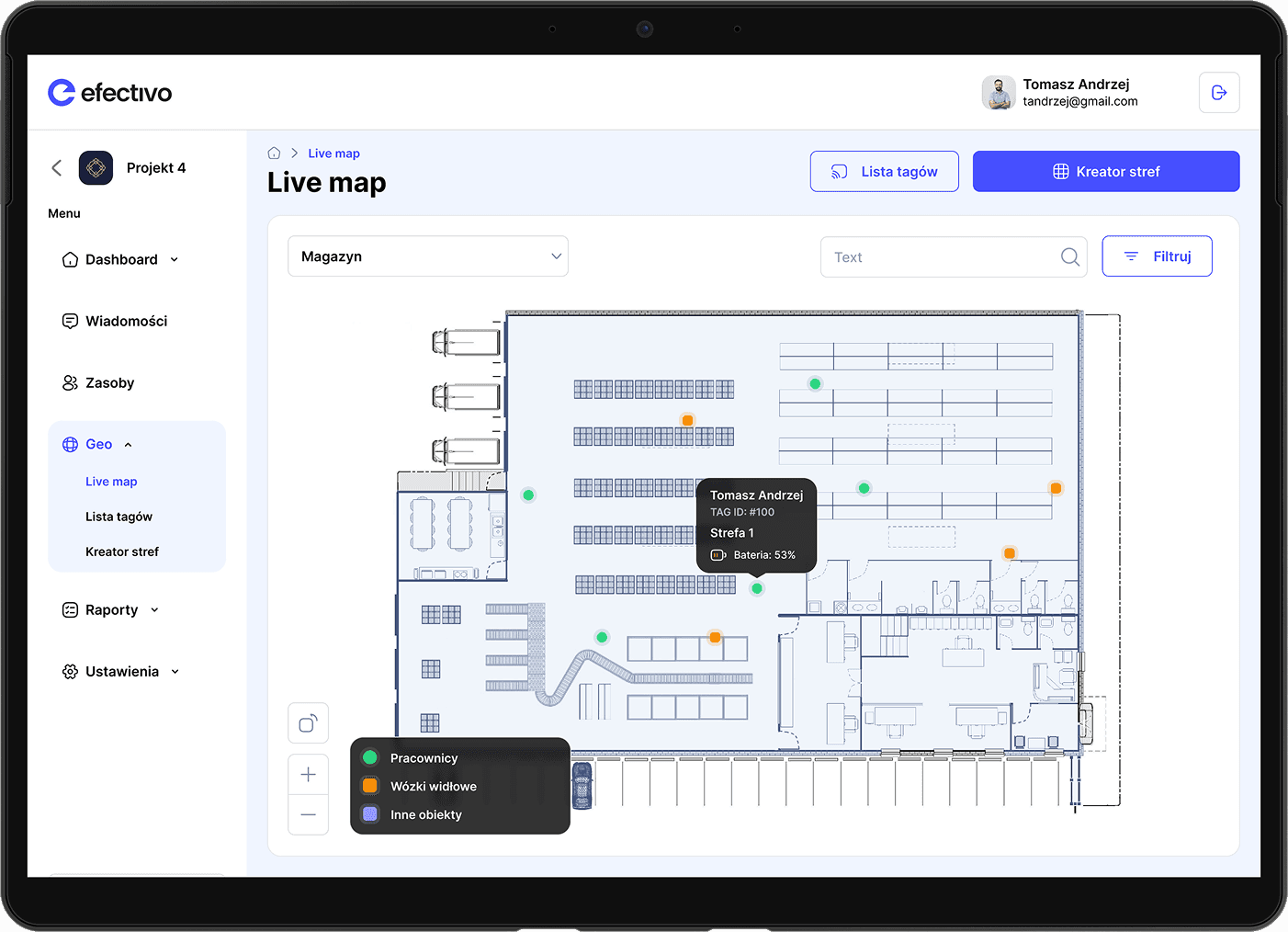
Live map

Live map

Live map

A real-time view of employee locations using geo tags, helping optimize workflows and ensure safety

A real-time view of employee locations using geo tags, helping optimize workflows and ensure safety

A real-time view of employee locations using geo tags, helping optimize workflows and ensure safety

Reports creator

Reports creator

Reports creator

Automated reporting tools for tracking performance, attendance, and operational efficiency

Automated reporting tools for tracking performance, attendance, and operational efficiency

Automated reporting tools for tracking performance, attendance, and operational efficiency

Resource management

Resource management

Resource management

Oversee equipment, inventory, and workforce allocation to maximize productivity

Oversee equipment, inventory, and workforce allocation to maximize productivity

Oversee equipment, inventory, and workforce allocation to maximize productivity

Tasks management

Tasks management

Tasks management

Assign, monitor, and adjust work tasks to keep operations running smoothly

Assign, monitor, and adjust work tasks to keep operations running smoothly

Assign, monitor, and adjust work tasks to keep operations running smoothly

Banking

Banking

Banking

Manage salary advances, financial transactions, and employee earnings within the system

Manage salary advances, financial transactions, and employee earnings within the system

Manage salary advances, financial transactions, and employee earnings within the system

Communication & calendar

Communication & calendar

Communication & calendar

Schedule and organize important meetings, events, and shift planning for better coordination

Schedule and organize important meetings, events, and shift planning for better coordination

Schedule and organize important meetings, events, and shift planning for better coordination

First release

Explore the purpose of the Efectivo web app as we delve into its first release. This initial version laid the foundation for effective warehouse management by integrating geo-tracking capabilities and essential administrative tools

Explore the purpose of the Efectivo web app as we delve into its first release. This initial version laid the foundation for effective warehouse management by integrating geo-tracking capabilities and essential administrative tools

Explore the purpose of the Efectivo web app as we delve into its first release. This initial version laid the foundation for effective warehouse management by integrating geo-tracking capabilities and essential administrative tools

Live map

Provided real-time location data for employees using geo tags but with limited historical tracking and analytics

Resource management

Allowed leaders to assign and track resources, but without automation or predictive optimization

Reports creator

Offered basic, pre-set reports on workforce activity and performance, with minimal customization options
Conclusions

With successful testing of the MVP, we gained valuable insights that shaped the next steps for Efectivo Web Appdevelopment. The positive feedback allowed us to:

With successful testing of the MVP, we gained valuable insights that shaped the next steps for Efectivo Web Appdevelopment. The positive feedback allowed us to:

With successful testing of the MVP, we gained valuable insights that shaped the next steps for Efectivo Web Appdevelopment. The positive feedback allowed us to:

With successful testing of the MVP, we gained valuable insights that shaped the next steps for Efectivo Web Appdevelopment. The positive feedback allowed us to:

Enhance the Live Map & Reports

Improve real-time tracking accuracy and expand reporting features with more customization and data insights

Extend the System

Introduce Task Management to streamline work assignments and integrate Banking features for salary advances and financial transactions

Develop a Dashboard

Create a centralized dashboard for leaders, providing a clear overview of workforce activity, key metrics, and system controls in one place

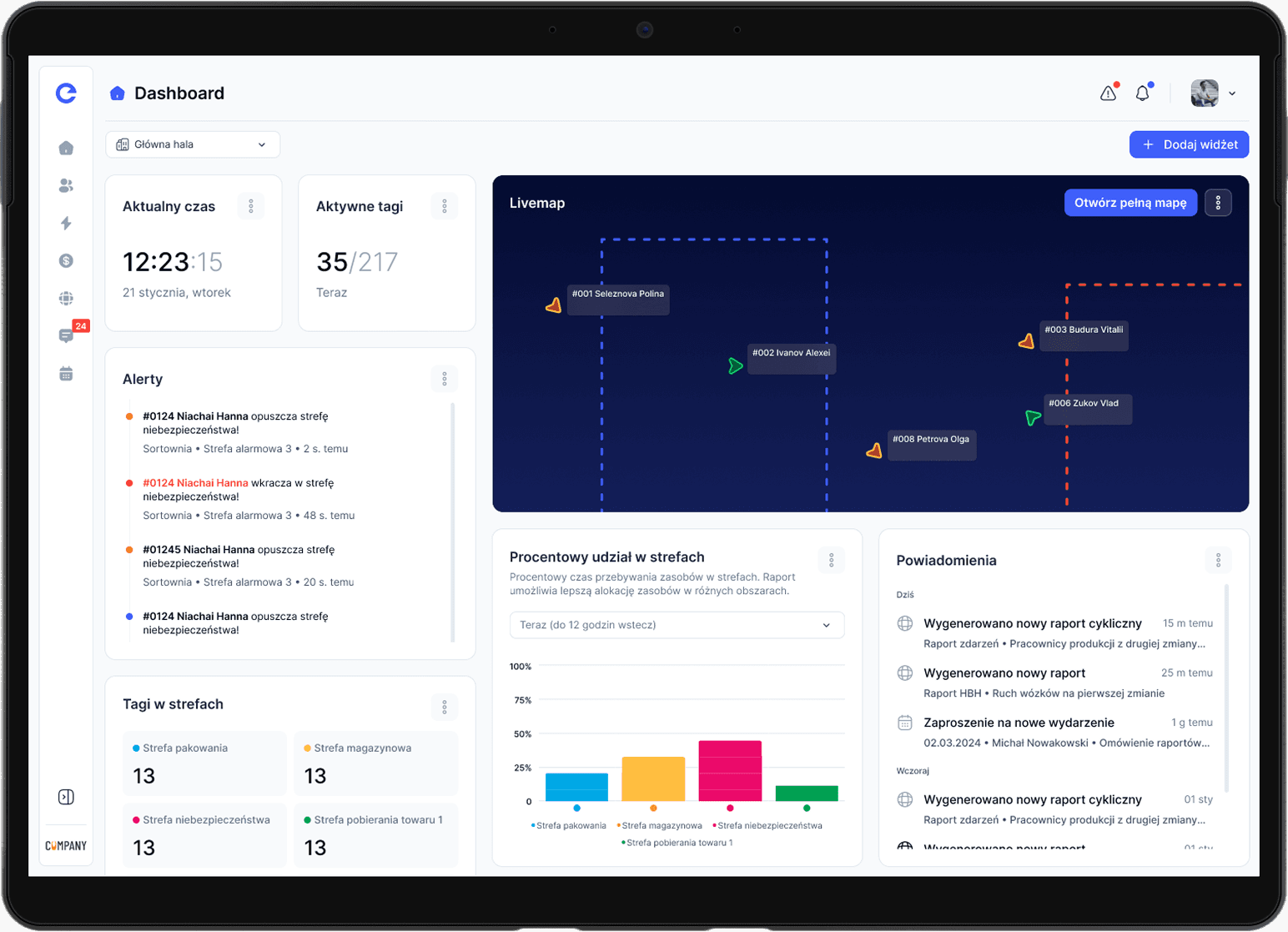
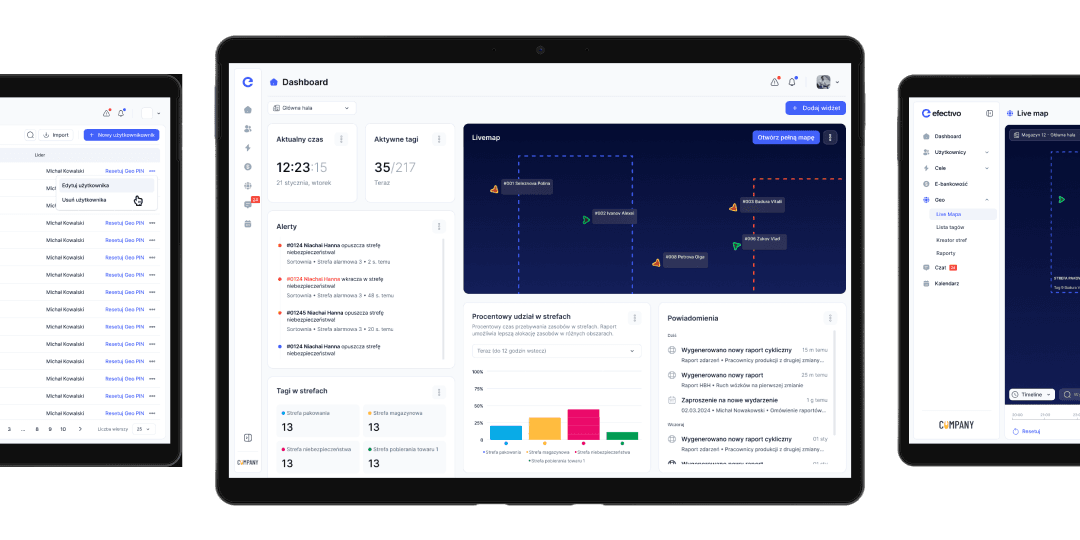
Dashboard

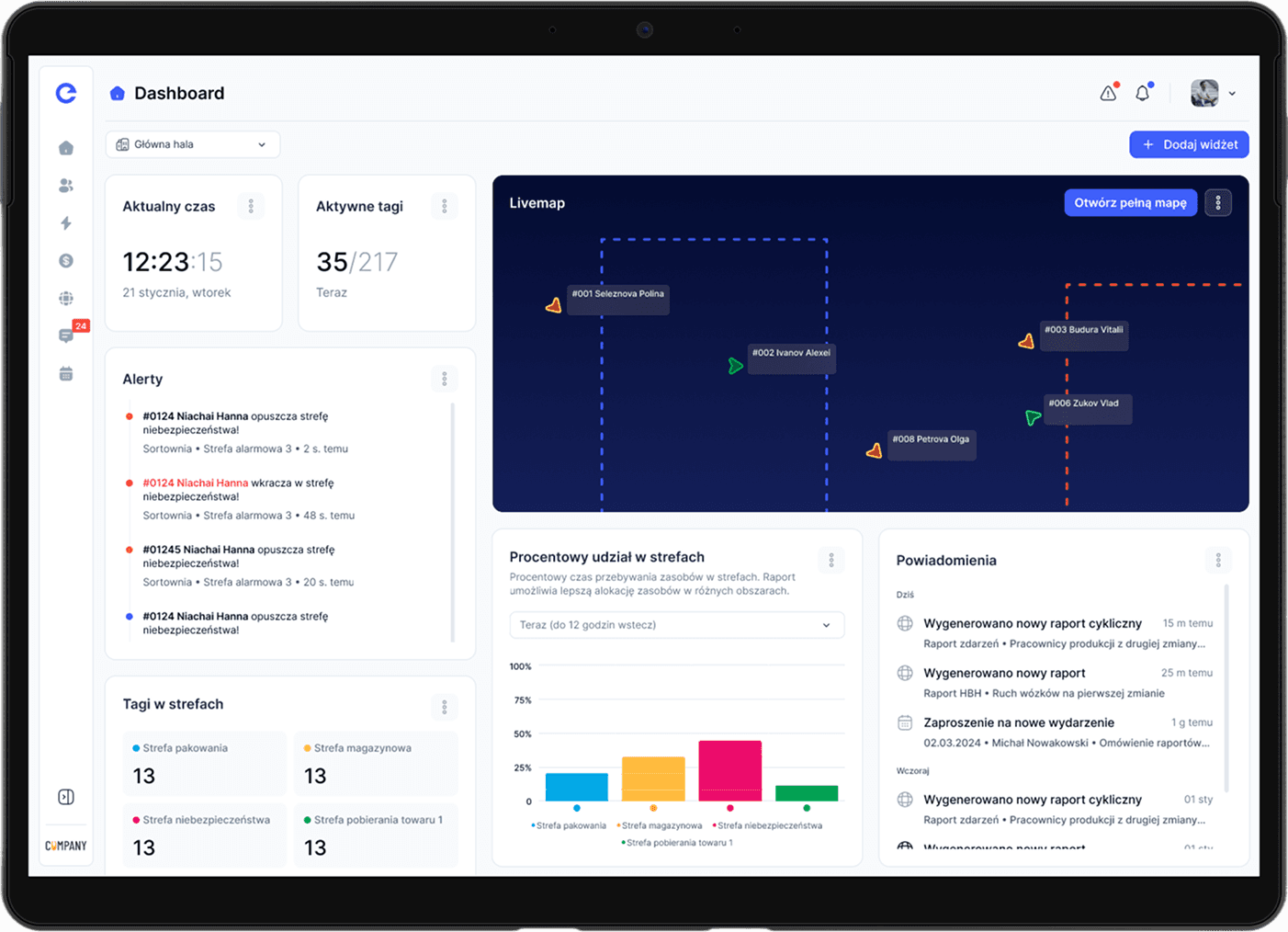
The redesigned Efectivo Web App introduced a comprehensive dashboard, bringing all key functionalities into one accessible interface

The redesigned Efectivo Web App introduced a comprehensive dashboard, bringing all key functionalities into one accessible interface

The redesigned Efectivo Web App introduced a comprehensive dashboard, bringing all key functionalities into one accessible interface

All functionalities in one place

The dashboard serves as a shortcut hub, allowing managers to quickly navigate to live tracking, reports, resource management, task assignments, and banking

Crucial management tool

Designed as the core of the system, the dashboard provides an at-a-glance overview of workforce activity, key metrics, and pending actions, helping leaders make faster, data-driven decisions
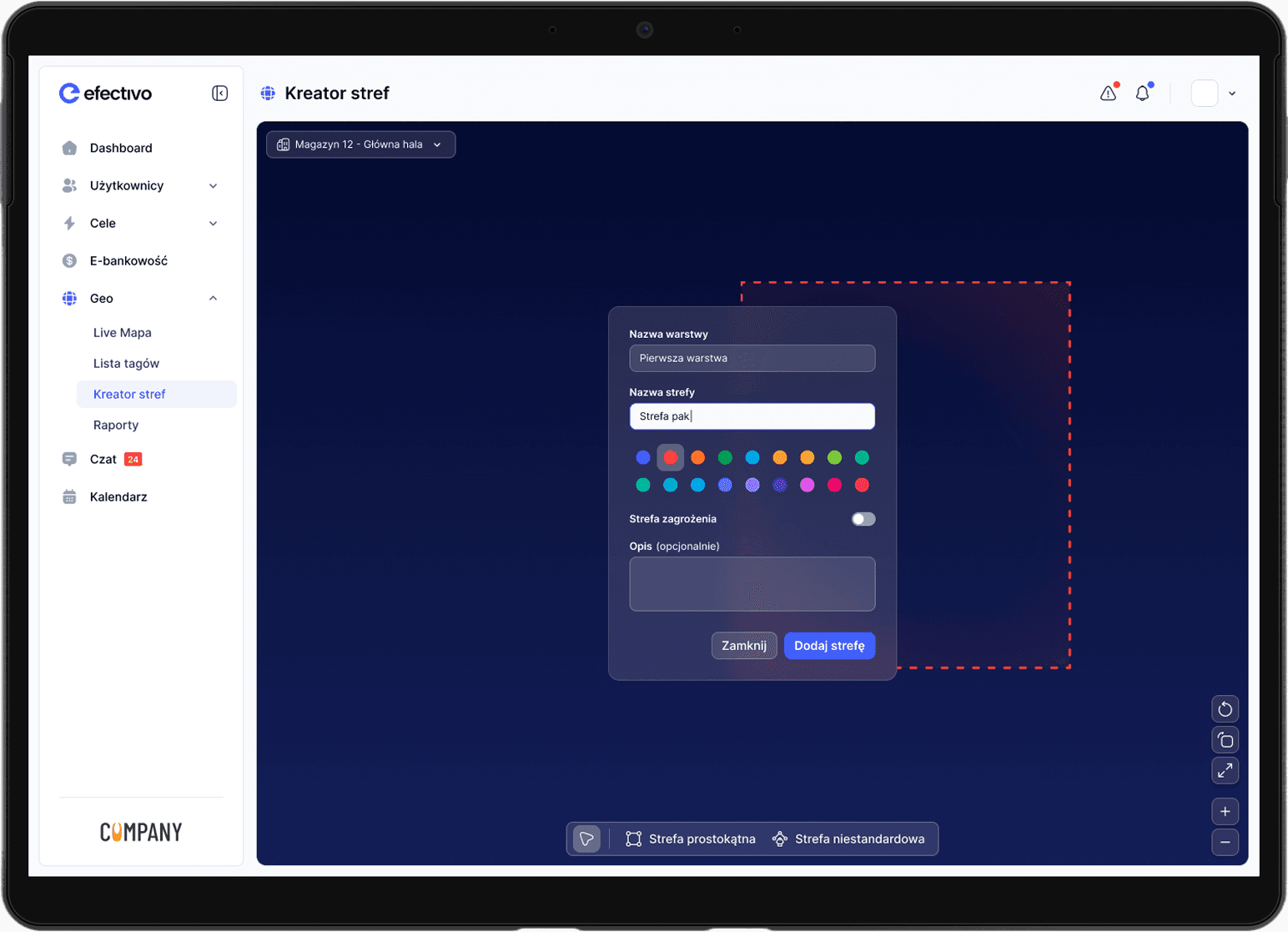
Live Map
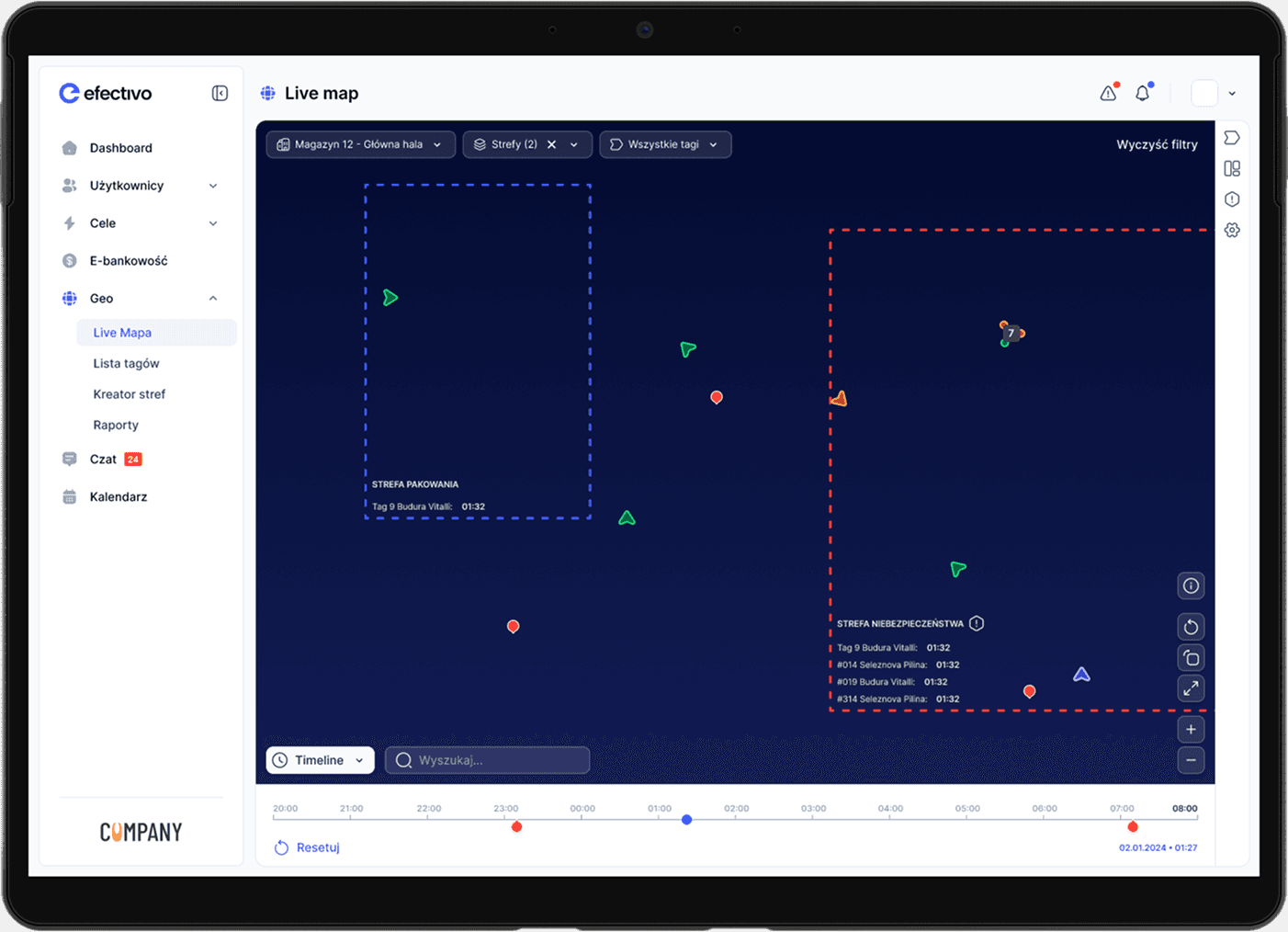
The redesigned Live Map enhances visibility and control over workforce movements with improved tracking capabilities

The redesigned Live Map enhances visibility and control over workforce movements with improved tracking capabilities

The redesigned Live Map enhances visibility and control over workforce movements with improved tracking capabilities

Real-Time & Historical Location Data

Managers can monitor employees in real time and access historical movement data for better workflow analysis and safety checks

Advanced Filters & View Management

Customizable filters allow users to focus on specific teams, time ranges, or locations, making it easier to analyze operations and optimize efficiency

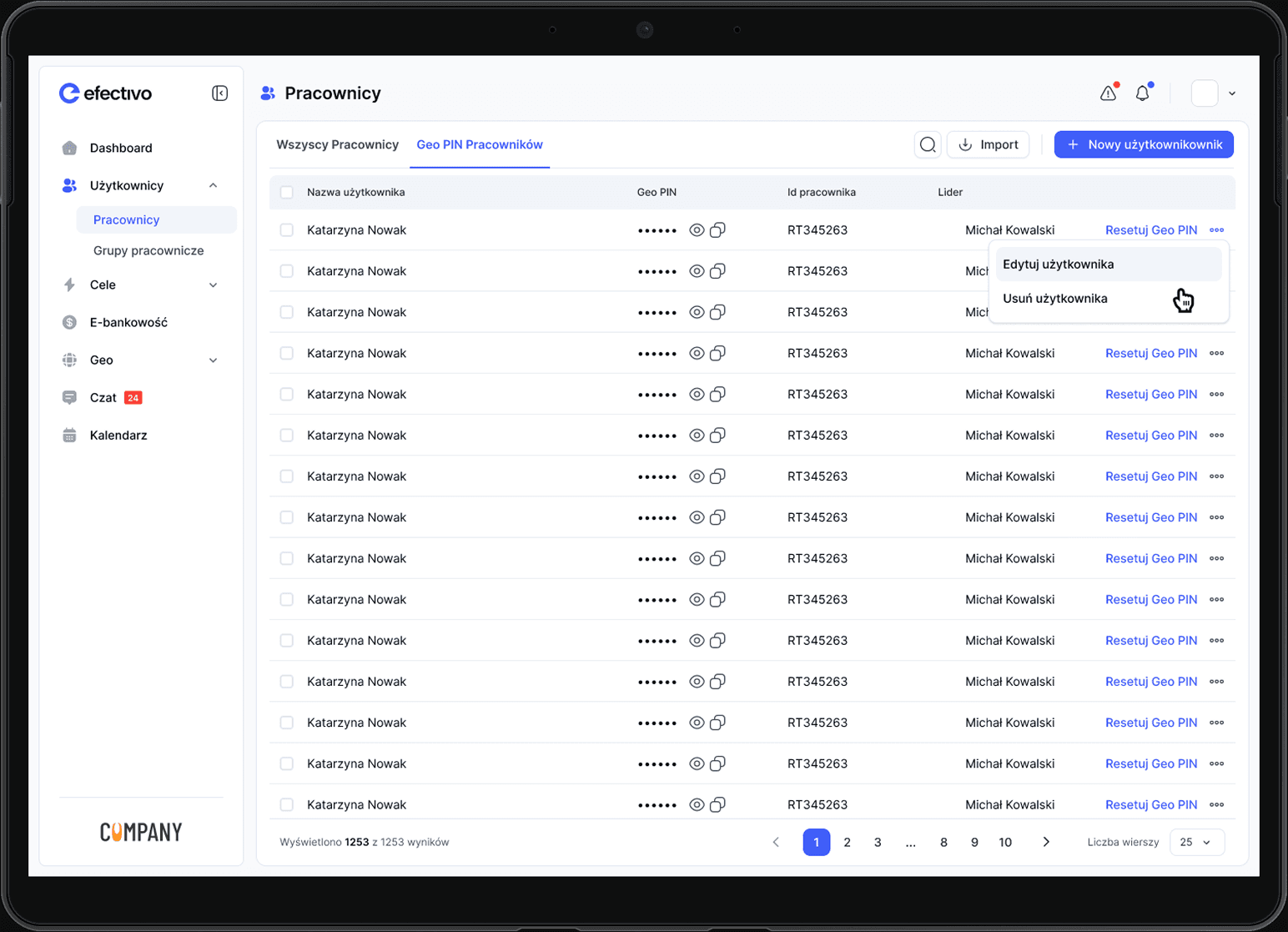
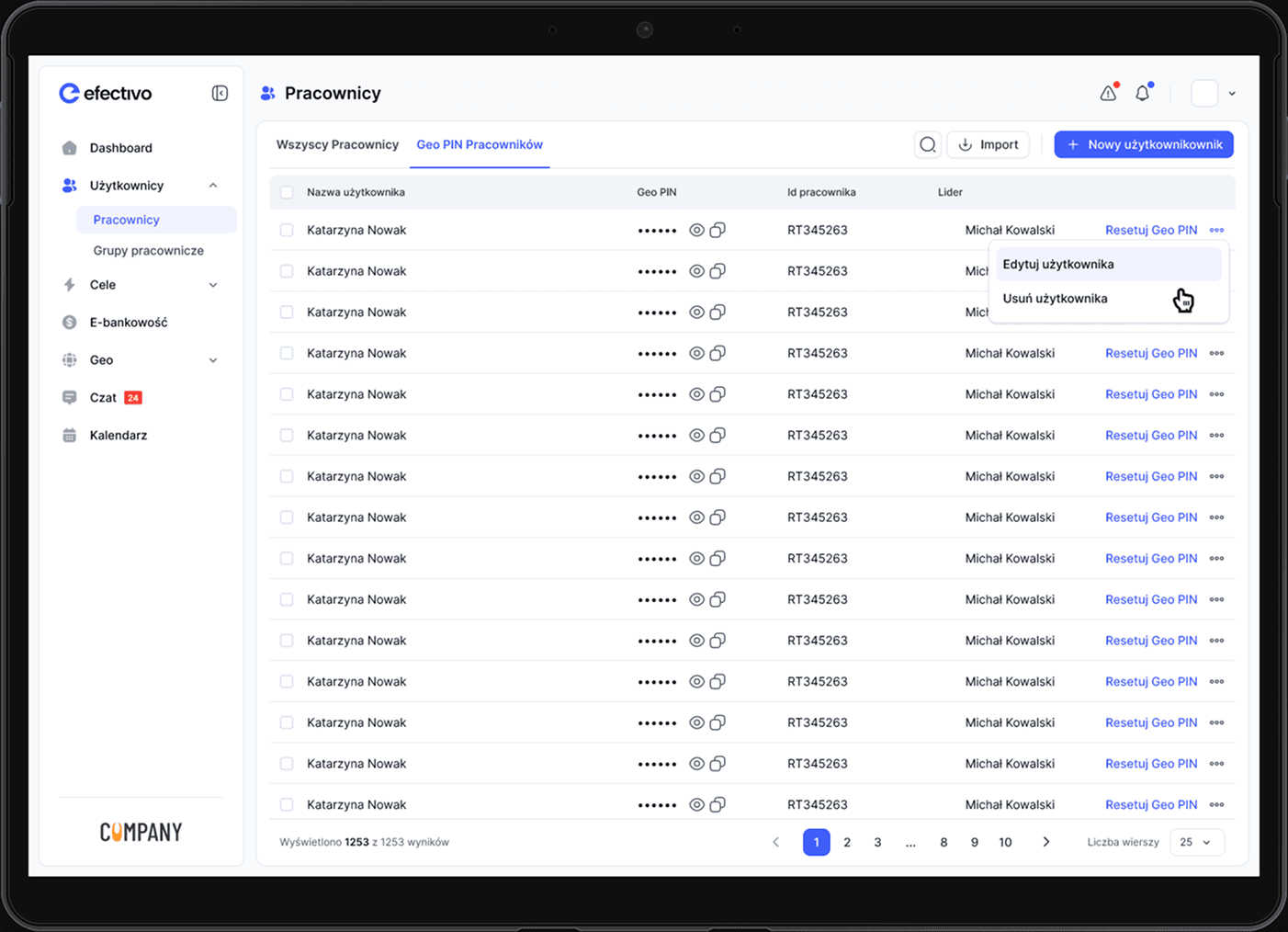
Administration

The redesigned Administration panel provides enhanced tools for managing both resources and teams efficiently

The redesigned Administration panel provides enhanced tools for managing both resources and teams efficiently

The redesigned Administration panel provides enhanced tools for managing both resources and teams efficiently

Resource management

Oversee and allocate equipment, inventory, and other workplace assets, ensuring optimal utilization

Employee Groups

Organize staff into teams based on roles, departments, or shifts, making communication and task assignments more structured
Reports
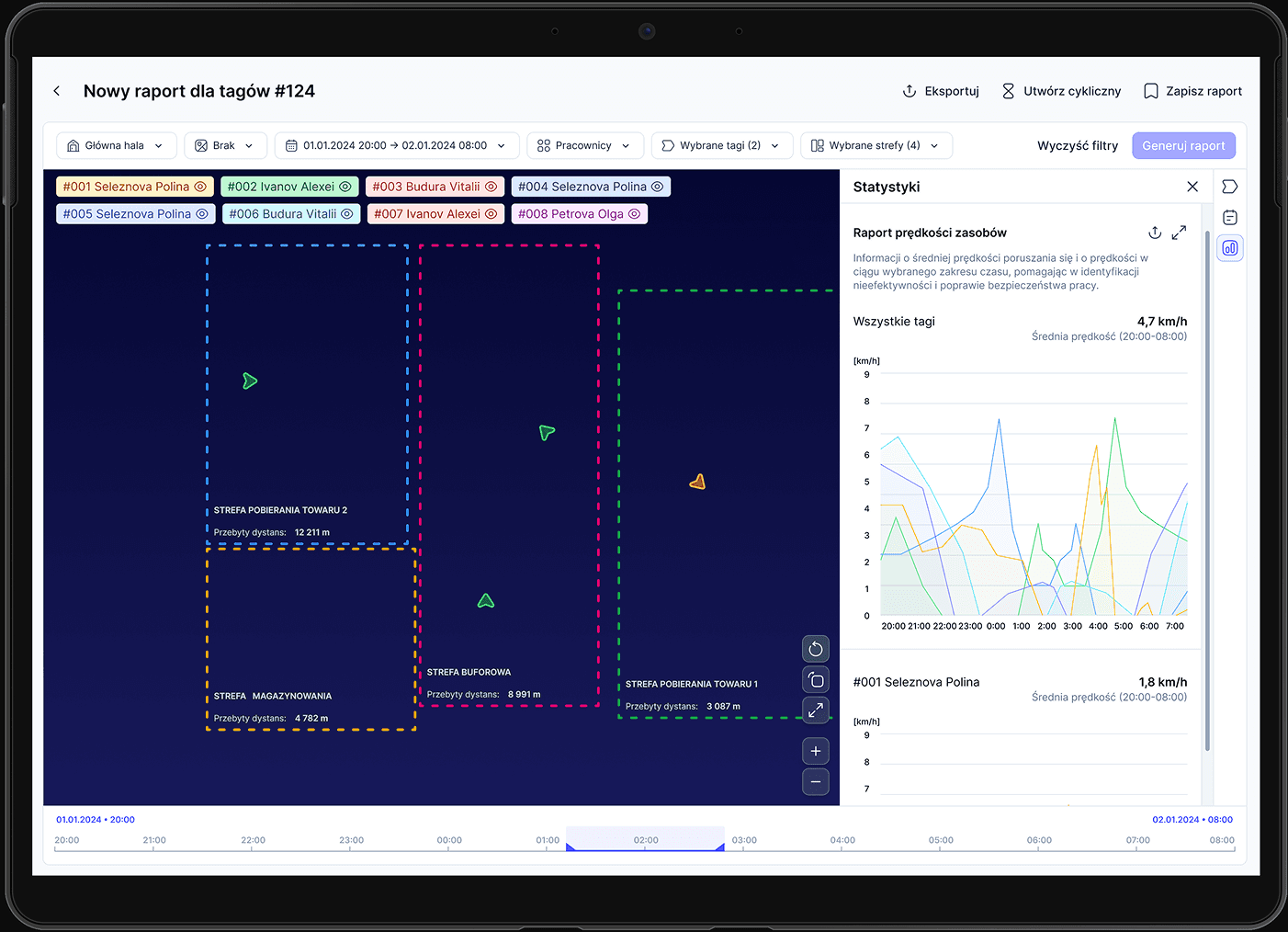
The redesigned Reports section offers a wide range of detailed analytics to help managers track and optimize operations. Key report types include:

The redesigned Reports section offers a wide range of detailed analytics to help managers track and optimize operations. Key report types include:

The redesigned Reports section offers a wide range of detailed analytics to help managers track and optimize operations. Key report types include:

Lots of reports types

We have created many different reports such as: Resource Speed, Resource Distance Traveled, Zone Participation Percentage, Hour-by-hour, Speed Violation Events

Reports cyclicality

Allows scheduling of automated, recurring reports for continuous monitoring
Terminal Software

Terminal Software

Terminal Software

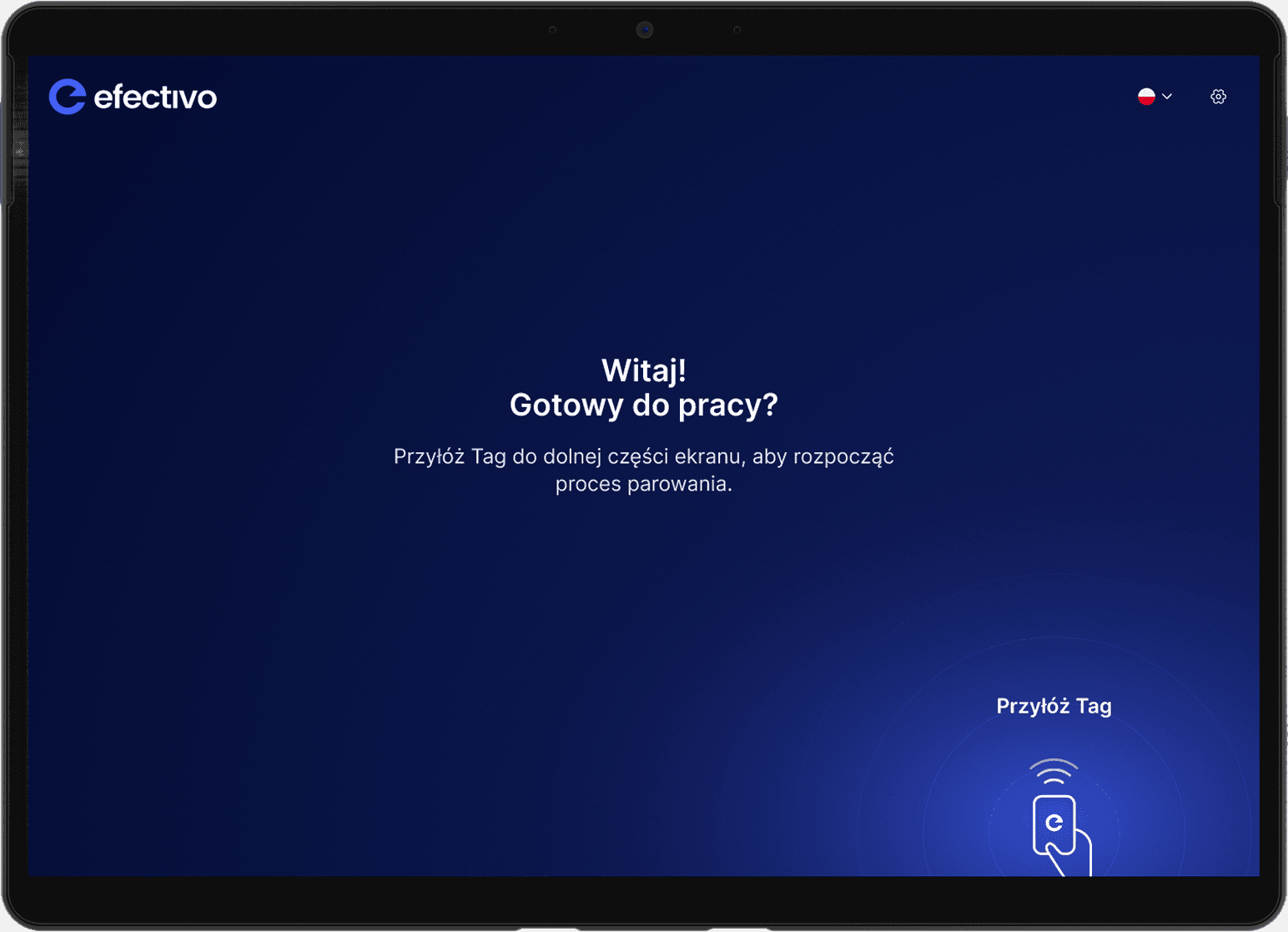
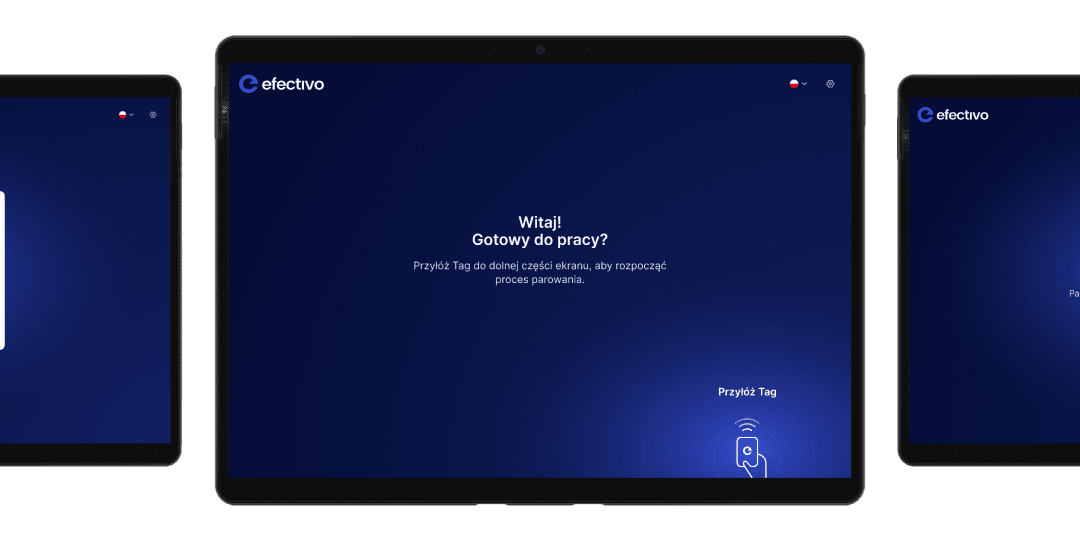
The Efectivo Terminal Software is designed to streamline the process of pairing geo tags with employees

The Efectivo Terminal Software is designed to streamline the process of pairing geo tags with employees

The Efectivo Terminal Software is designed to streamline the process of pairing geo tags with employees

What’s the terminal for?

Apart from a few secondary functions, the terminal was created for one purpose:

Apart from a few secondary functions, the terminal was created for one purpose:

Apart from a few secondary functions, the terminal was created for one purpose:

Pairing tags to employees

Pairing tags to employees

Pairing tags to employees

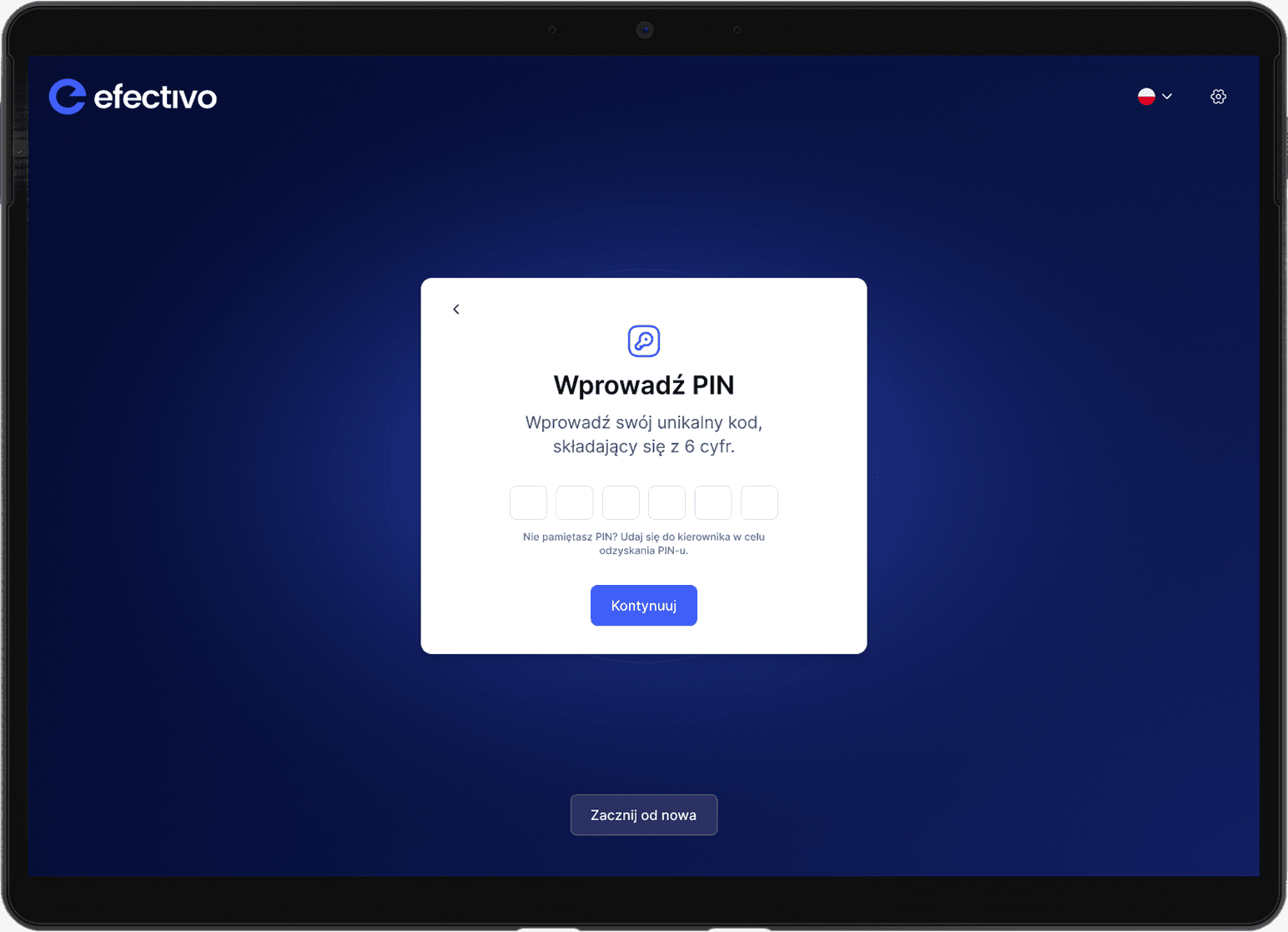
The terminal allows administrators to easily assign geo tags to individual employees, ensuring that each worker’s movements are accurately recorded for real-time tracking and reporting

The terminal allows administrators to easily assign geo tags to individual employees, ensuring that each worker’s movements are accurately recorded for real-time tracking and reporting

The terminal allows administrators to easily assign geo tags to individual employees, ensuring that each worker’s movements are accurately recorded for real-time tracking and reporting

Tag pairing

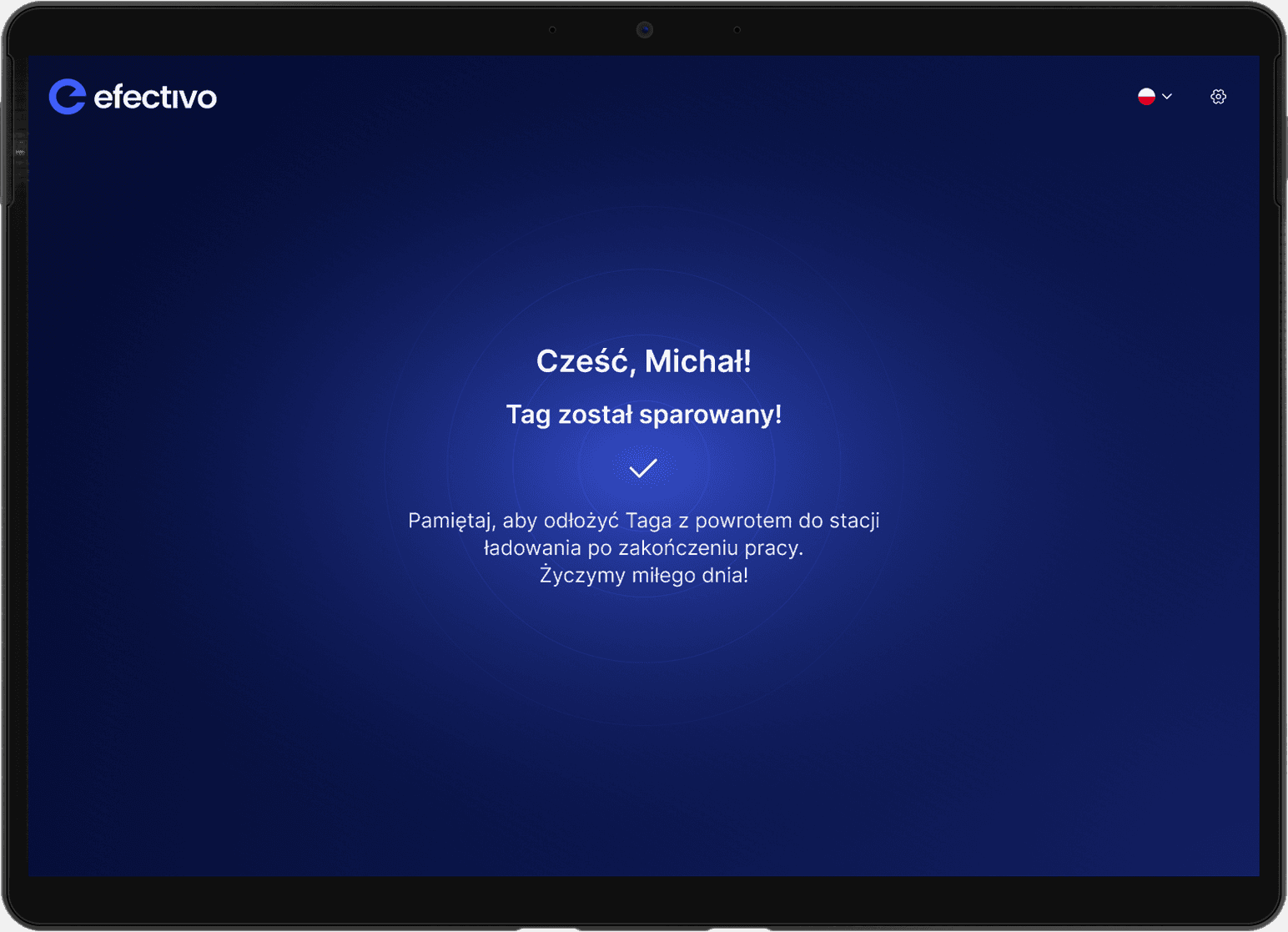
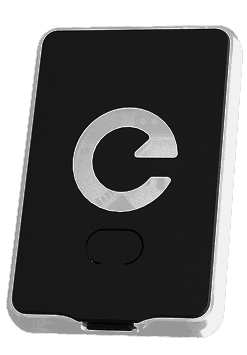
This crucial feature ensures that geo tags are accurately assigned to employees, facilitating effective tracking and monitoring of workforce activities

This crucial feature ensures that geo tags are accurately assigned to employees, facilitating effective tracking and monitoring of workforce activities

This crucial feature ensures that geo tags are accurately assigned to employees, facilitating effective tracking and monitoring of workforce activities

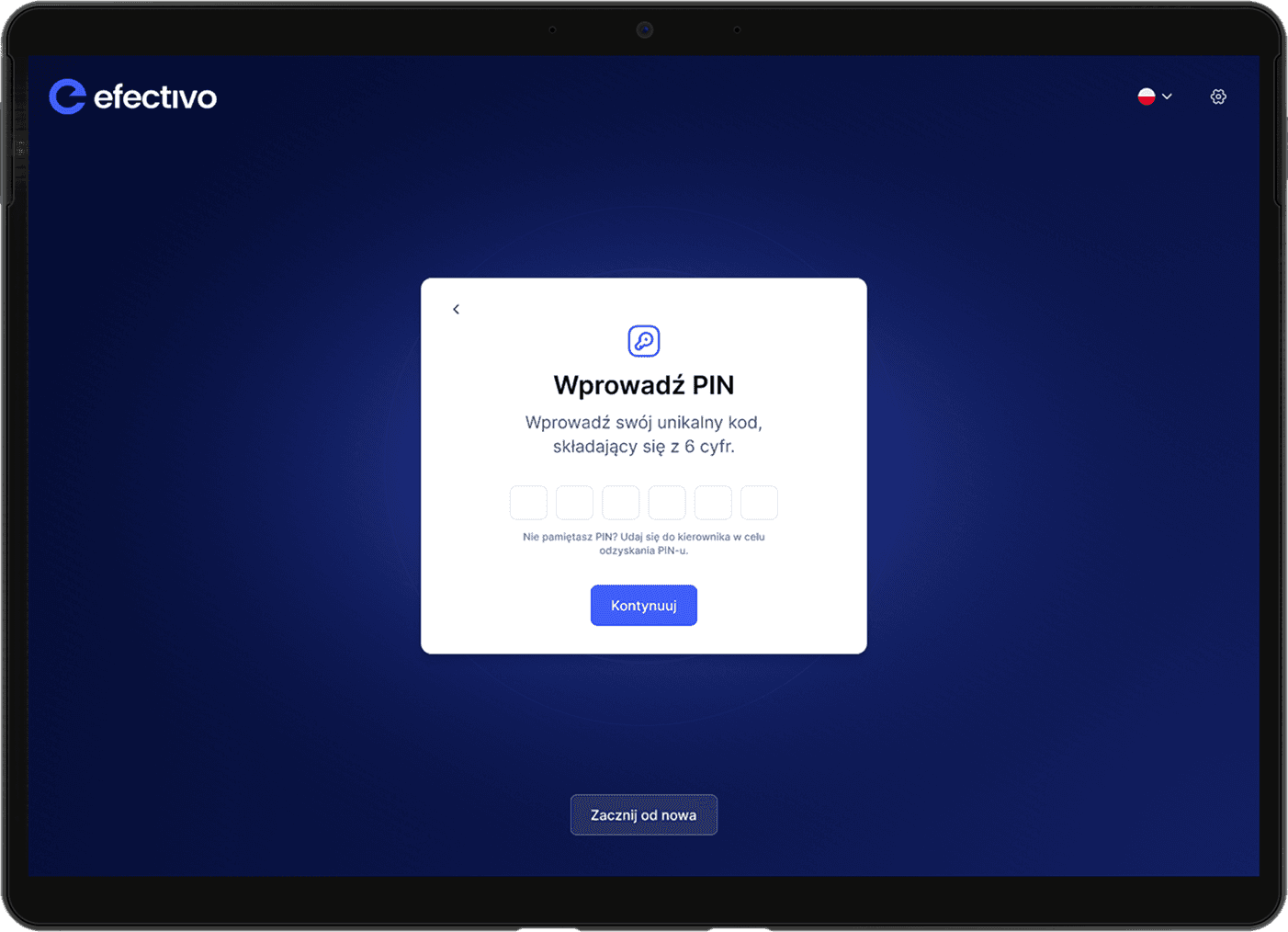
Pairing with PIN

Employees can easily pair their geo tags using a secure PIN, ensuring proper identification and eliminating errors

Easiest Process Possible

The process is streamlined to require minimal steps, making it as simple as possible for administrators to assign tags to employees without confusion or delays
© 2025 Oskar Orfin